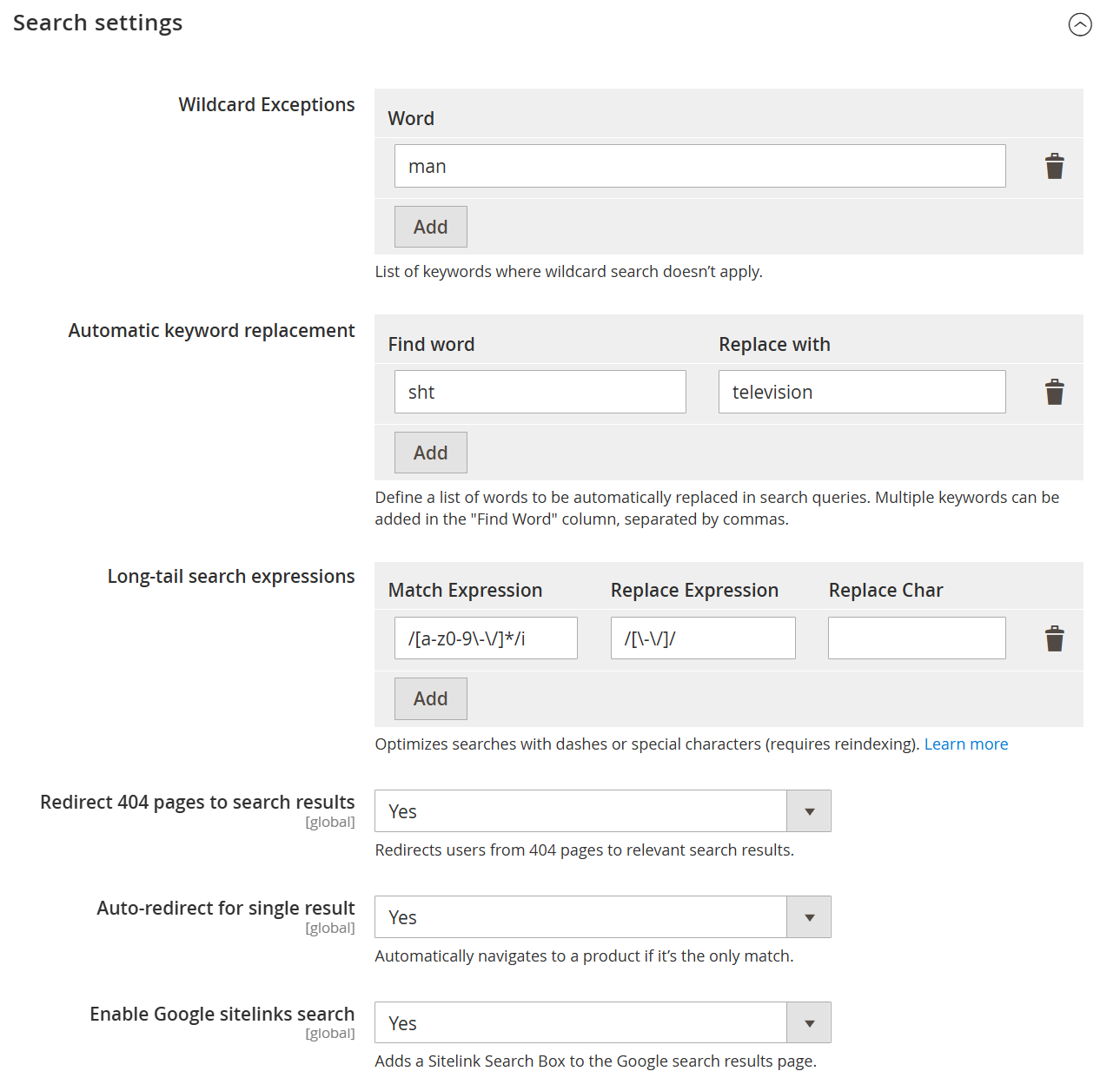
| Wildcard Exceptions | Defines keywords for which wildcard search should not be applied. This helps maintain precise search results for specific terms. |
| Word | Specifies the keyword to exclude from wildcard-based search behavior. |
| Add | Adds the entered keyword to the wildcard exception list. |
| Automatic Keyword Replacement | Allows automatic replacement of search terms to improve result accuracy and handle common misspellings or synonyms. |
| Find Word | Defines the keyword(s) that should be detected in the search query. Multiple words can be added, separated by commas. |
| Replace With | Specifies the term that will replace the matched keyword in the search query. |
| Add (Keyword Replacement) | Adds the defined find-and-replace rule to the list. |
| Long-tail Search Expressions | Configures advanced search patterns using expressions to handle special characters, formatting, or complex queries. |
| Match Expression | Defines the pattern (e.g., regex) to identify specific search query formats. |
| Replace Expression | Specifies the expression used to transform the matched query into a searchable format. |
| Replace Char | Defines a character used during replacement, if applicable. |
| Add (Expression) | Adds the configured long-tail search rule. |
| Redirect 404 Pages to Search Results | Redirects users from non-existent (404) pages to relevant search results, improving user experience. |
| Auto-redirect for Single Result | Automatically redirects users to the product page if the search query returns only one result. |
| Enable Google Sitelinks Search | Enables a sitelinks search box in Google search results for the store, improving SEO and navigation. |