
Installation
Before installing the extension, please make sure to Backup your web directory and store database
You will require to install MageDelight Base Extension first. If it is not installed then please download it from https://www.magedelight.com/pub/extensions/magedelight-base.zip and unzip the package file into the root folder of your Magento 2 installation.
Root Directory is - "app/code/magedelight/#YourExtensionName#"
- Unzip the extension package file into the root folder of your Magento 2 installation.
- Connect to SSH console of your server:
- Navigate to the root folder of your Magento 2 setup
Run command as per below sequence,
php bin/magento setup:upgrade
php bin/magento setup:di:compile
php bin/magento setup:static-content:deploy
php bin/magento cache:clean
- log out from the backend and log in again
If you are using Magento 2.3 or later then you do not need to activate license. Extension will be activated with silent activation mechanism and does not require activation keys to be entered manually.
Backend Configuration (Admin side)

- Enable Group Restriction: Select "Yes" to enable group restrictions for your store
- Redirect Forbidden Access To: Select page to redirect if page is restricted for user
Backend Functionality

- Title: Specify title for the rule (i.e. Purchase restriction for wholesale customers below 1000$)
- Customer Groups: Select customer group to apply group restrictions
- Status: Select status as "Yes" to enable rule

- Forbidden Categories: Select Categories to restrict, you can select multiple categories

- Redirect forbidden product access to: Select page to redirect if user is restricted to access

- forbidden CMS Pages: Select CMS pages to restrict, you can select multiple pages
- Redirect forbidden page access to: Select page to redirect if user is restricted to access

- Price Option: Select price rule as per below,
- Show Price: Show price for selected customer group
- Hide Price: Hide price for selected customer group
- Replace with Static Block: Display custom informative static block instead of price
- Static Block: Select block to display on front-end.
- Hide Add To Compare:

- Restrict Shipping Methods: Select "Yes" to enable restriction for shipping methods

- Restrict Payment Methods: Select "Yes" to enable restriction for payment methods

- Description Message: Specify description to display user if order value is lesser than specified minimum order
Multi-address Description Message: Specify description to display user if address is not valid
Only one rule can be created per customer group
Frontend Functionality
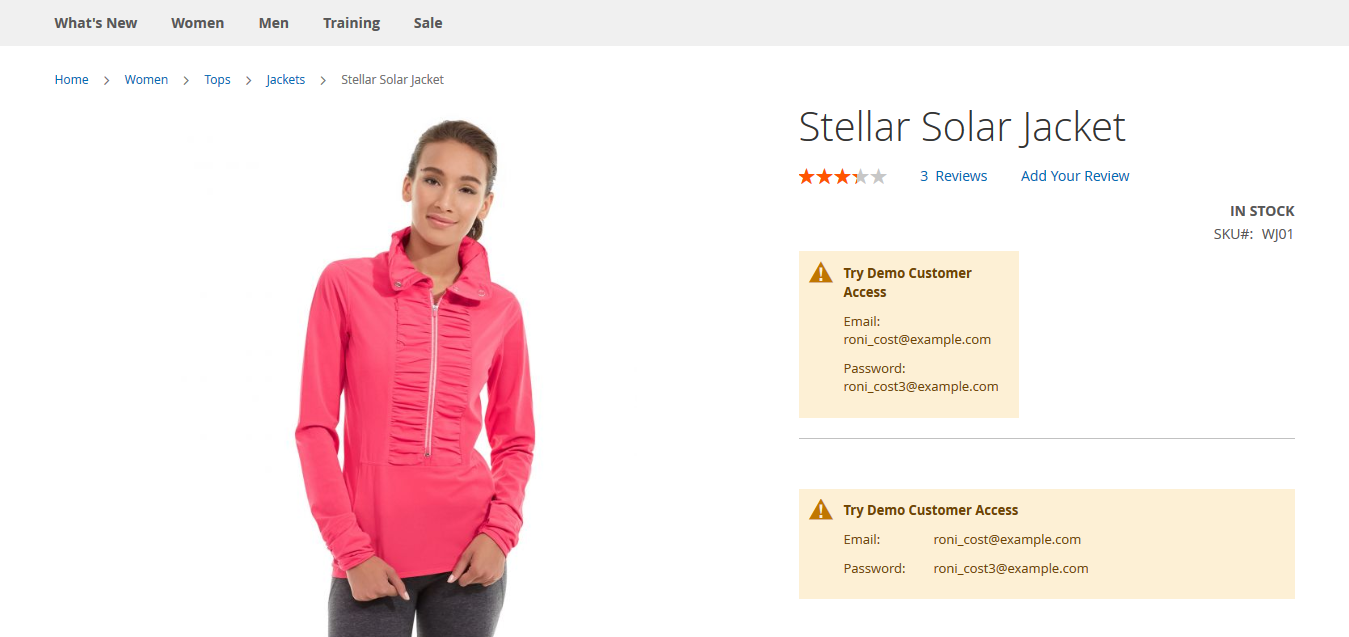
- Price hidden for guest user, block will be replaced with static information
API
- URL TO GET THE RESTRICTED DATA BY ID USING REST API
https://localhost.com/rest/V1/magedelight-cgr/restrict-get/{entitiy_id}
2. URL TO GET THE RESTRICTED DATA BY USING SEARCH CRITERIA
https://localhost.com/rest/V1/magedelight-cgr/restrict/search
AND FOLLOWING PARAMS YOU HAVE TO PASS
searchCriteria[filter_groups][<index>][filters][<index>][field] = <field_name>
searchCriteria[filter_groups][<index>][filters][<index>][value] = <search_value>
searchCriteria[filter_groups][<index>][filters][<index>][condition_type] = <operator>
3 .URL TO DELETE THE RESTRICTED DATA BY USING REST API
https://localhost.com/rest/V1/magedelight-cgr/restrict-delete/{entitiy_id}
4 .URL TO SAVE THE RESTRICTED DATA BY USING REST API
https://localhost.com/rest/V1/magedelight-cgr/restrict-save
SAMPLE DATA TO SAVE THE RESTRICTED DATA (MAKE SURE CONTENT-TYPE SHOULD BE application/json)
{
"restrict": {
"title": "Restriction Rule Title",
"store_id": "1,2",
"groups": "3",
"group_status": 1,
"restrict_categories": 1,
"categories": "3,1",
"category_forbid_redirection": 1,
"restrict_products": 1,
"products": "{\"1\":\"1\",\"9\":\"9\"}",
"product_forbid_redirection": 0,
"restrict_cms": 1,
"cms": "2,1",
"cms_forbid_redirection": 0,
"price_option": 0,
"price_block": 1,
"hide_add_to_cart": 1,
"hide_add_to_wishlist": 1,
"hide_add_to_compare": 1,
"restrict_shipping": 1,
"shipping_methods": "flatrate,tablerate",
"restrict_payment": 1,
"restricted_payment_methods": "checkmo,paypal_billing_agreement",
"order_value": 10,
"include_tax": 1,
"description_message": "Description Message",
"is_multi_address_validate": 0,
"multi_description_message": "Multi Description Message"
}
}
5. URL TO UPDATE THE RESTRICTION RULE BY USING REST API
https://localhost.com/rest/V1/magedelight-cgr/restrict/{entitiy_id}
SAMPLE DATA TO UPDATE THE RESTRICTION RULE
{
"restrict": {
"entity_id": "6",
"title": "Restriction Title",
"store_id": "1,2",
"groups": "3",
"group_status": 1,
"restrict_categories": 1,
"categories": "3,2",
"category_forbid_redirection": 1,
"restrict_products": 1,
"products": "{\"1\":\"1\",\"9\":\"9\"}",
"product_forbid_redirection": 0,
"restrict_cms": 1,
"cms": "2,1",
"cms_forbid_redirection": 0,
"price_option": 0,
"price_block": 1,
"hide_add_to_cart": 1,
"hide_add_to_wishlist": 1,
"hide_add_to_compare": 1,
"restrict_shipping": 1,
"shipping_methods": "flatrate,tablerate",
"restrict_payment": 1,
"restricted_payment_methods": "checkmo,paypal_billing_agreement",
"order_value": 10,
"include_tax": 1,
"description_message": "Description Message",
"is_multi_address_validate": 0,
"multi_description_message": "Multi Description Message"
}
}
GraphQL
query {
md_cgr {
status
title
customer_groups
restrict_category_status
categories
category_forbid_redirection
restrict_products_status
products
product_forbid_redirection
restrict_cms
cms
cms_forbid_redirection
price_option
hide_add_to_cart
hide_add_to_wishlist
hide_add_to_compare
restrict_shipping
shipping_methods
restrict_payment
restricted_payment_methods
order_value
include_tax
is_multi_address_validate
description_message
multi_description_message
}
}
Using above graph query you can get the restriction data.
GraphQl to save the restriction(sample data to save the restriction)
mutation {
restrictionFormSubmit(
input:{
group_status: "1"
title: "Restriction Title"
groups: "1"
store_id: "0,1"
restrict_category: "1"
categories: "2,3"
category_forbid_redirection: "1"
restrict_products: "1"
products: "{\"1\":\"1\",\"9\":\"9\"}"
product_forbid_redirection: "1"
restrict_cms: "1"
cms: "1,2"
cms_forbid_redirection: "0"
price_option: "0"
hide_add_to_cart: "1"
hide_add_to_wishlist: "1"
hide_add_to_compare: "1"
restrict_shipping: "1"
shipping_methods: "flatrate"
restrict_payment: "1"
restricted_payment_methods: "checkmo"
order_value: "1.1"
include_tax: "0"
is_multi_address_validate: "1"
description_message: "The qucik brown"
multi_description_message: "The qucik brown fox jumps over the lazy dog."
}
){
success
message
}
}
Thank you for choosing MageDelight!