Installation


Before installing the extension, please make sure to Backup your web directory and store database

  • Unzip the extension package file into the root folder of your Magento 2 installation.
  • Connect to SSH console of your server:
    • Navigate to the root folder of your Magento 2 setup
    • Run command as per below sequence,

      php-f bin/magentomodule:enable Magedelight_Storelocator


      php-f bin/magentosetup:upgrade


      php -f bin/magento setup:static-content:deploy


  • Flush store cache
  • log out from the backend and log in again


License Configuration


License activation is not required for extension purchased from Magento Marketplace.

After successful installation of Store Locator extension, you are now required to configure the license key in the admin configuration section. You can set it from:

Step 1: Go to, Admin Control Panel > Stores Configuration > Magedelight > Store Locator > License Configuration. 

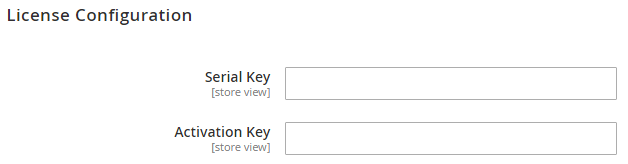
You will find two text boxes asking for Serial Key and Activation Key, which you received on email upon the purchase of extension. See screenshot below:

  • Serial Key: Enter Serial Key
  • Activation Key: Enter Activation Key

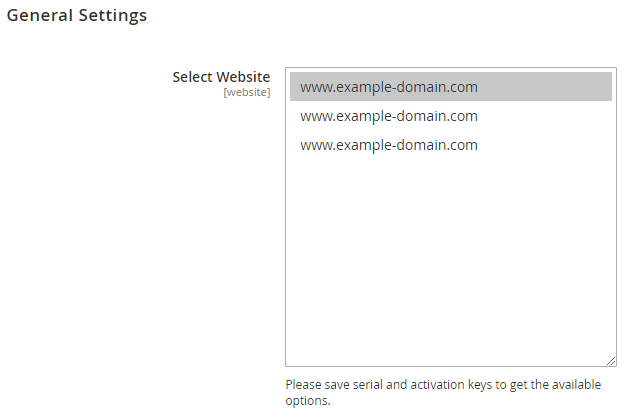
Step 2: Expand “General Configuration” tab, you will find a list of domains for which license is purchased and configured, now select the domain you are going to use, you can select multiple domains by clicking “Ctrl + Select”.

Step 3: Now, select “Yes” from “Enable Module” to enable extension and again click on “Save Config” button on the top right.


Backend Configuration (Admin side)


  • Enable Store locator: Disable store locator extension.
  • Menu Link Title: Store locater page link title.
  • Display Menu Link: Where to show store locater link? Options can be Top Link or Top Navigation menu.
  • Access to Guest Customer: Set access limit to allows store locator to guest customer or not.
  • Default Store Image: You can upload default image to be shown, if particular store don’t have uploaded store image.


Backend Functionality


Frontend Functionality


Demo


Click here to visit product detail page.

Click here to visit frontend.

Click here to visit backend admin panel.


FAQs


Support


Click here to raise a support ticket using your MageDelight account.


Additional Services


Click here to get the customized solution for this extension.


Thank you for choosing MageDelight!