Installation
Before installing the extension, please make sure to Backup your web directory and store database
You will require to install MageDelight Base Extension first. If it is not installed then please download it from https://www.magedelight.com/pub/extensions/magedelight-base.zip and unzip the package file into the root folder of your Magento 2 installation.
Root Directory is - "app/code/magedelight/#YourExtensionName#"
- Unzip the extension package file into the root folder of your Magento 2 installation.
- Connect to SSH console of your server:
- Navigate to the root folder of your Magento 2 setup
Run command as per below sequence,
php bin/magento setup:upgrade
php bin/magento setup:di:compile
php bin/magento setup:static-content:deploy
php bin/magento cache:clean
- log out from the backend and log in again
If you are using Magento 2.3 or later then you do not need to activate license. Extension will be activated with silent activation mechanism and does not require activation keys to be entered manually.
Backend Configuration (Admin side)
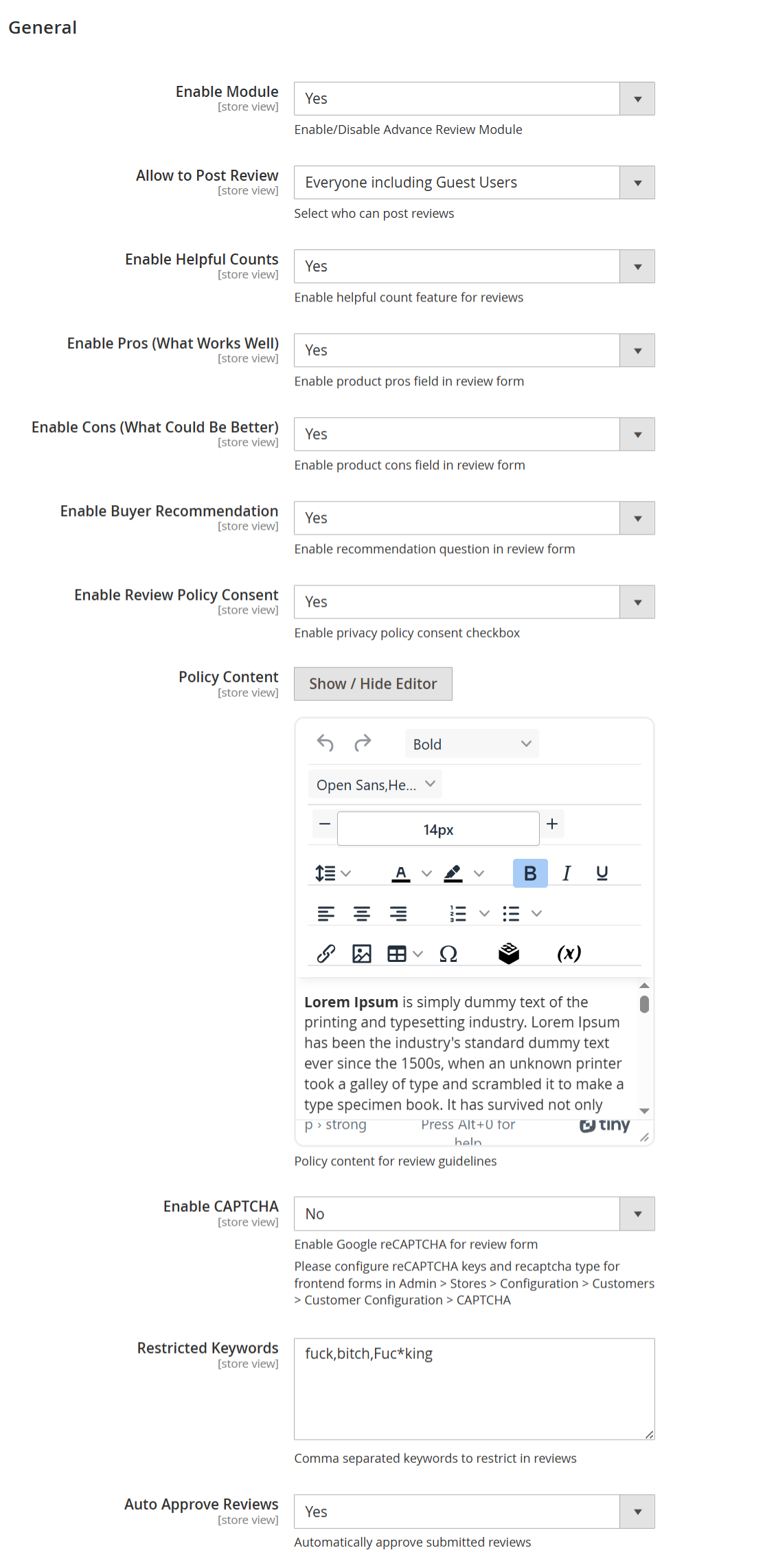
| Field | Description |
|---|---|
| Enable Module | Enables or disables the Advanced Product Reviews module for the selected store view. When enabled, all advanced review features become active on the storefront. |
| Allow to Post Review | Determines who is allowed to submit product reviews. Available options: • Everyone including Guest Users – Allows both registered customers and guest users to submit reviews. • Registered Customer – Only logged-in customers can submit reviews. • Verified Buyers – Only customers who have purchased the product can submit reviews, ensuring authentic and trustworthy feedback. |
| Enable Helpful Counts | Enables the “Was this review helpful?” voting feature, allowing customers to mark reviews as helpful or not helpful. This helps surface the most useful reviews. |
| Enable Pros (What Works Well) | Displays an additional Pros field in the review form where customers can highlight positive aspects of the product. |
| Enable Cons (What Could Be Better) | Displays a Cons field in the review form, allowing customers to share drawbacks or improvement areas. |
| Enable Buyer Recommendation | Adds a recommendation option (for example, “I recommend this product”) in the review form and displays the recommendation status on submitted reviews. |
| Enable Review Policy Consent | Displays a mandatory consent checkbox in the review form, requiring customers to agree to the review policy or privacy guidelines before submitting a review. |
| Policy Content | Allows the admin to define and format the review policy or guidelines displayed to customers using a rich text editor. |
| Enable CAPTCHA | Enables Google reCAPTCHA on the review submission form to prevent spam and automated review submissions. CAPTCHA keys must be configured separately in Magento settings. |
| Restricted Keywords | A comma-separated list of restricted or inappropriate words. Reviews containing these keywords will be blocked or restricted from submission. |
| Auto Approve Reviews | Automatically approves and publishes submitted reviews without manual admin moderation. When disabled, reviews require admin approval before appearing on the storefront. |
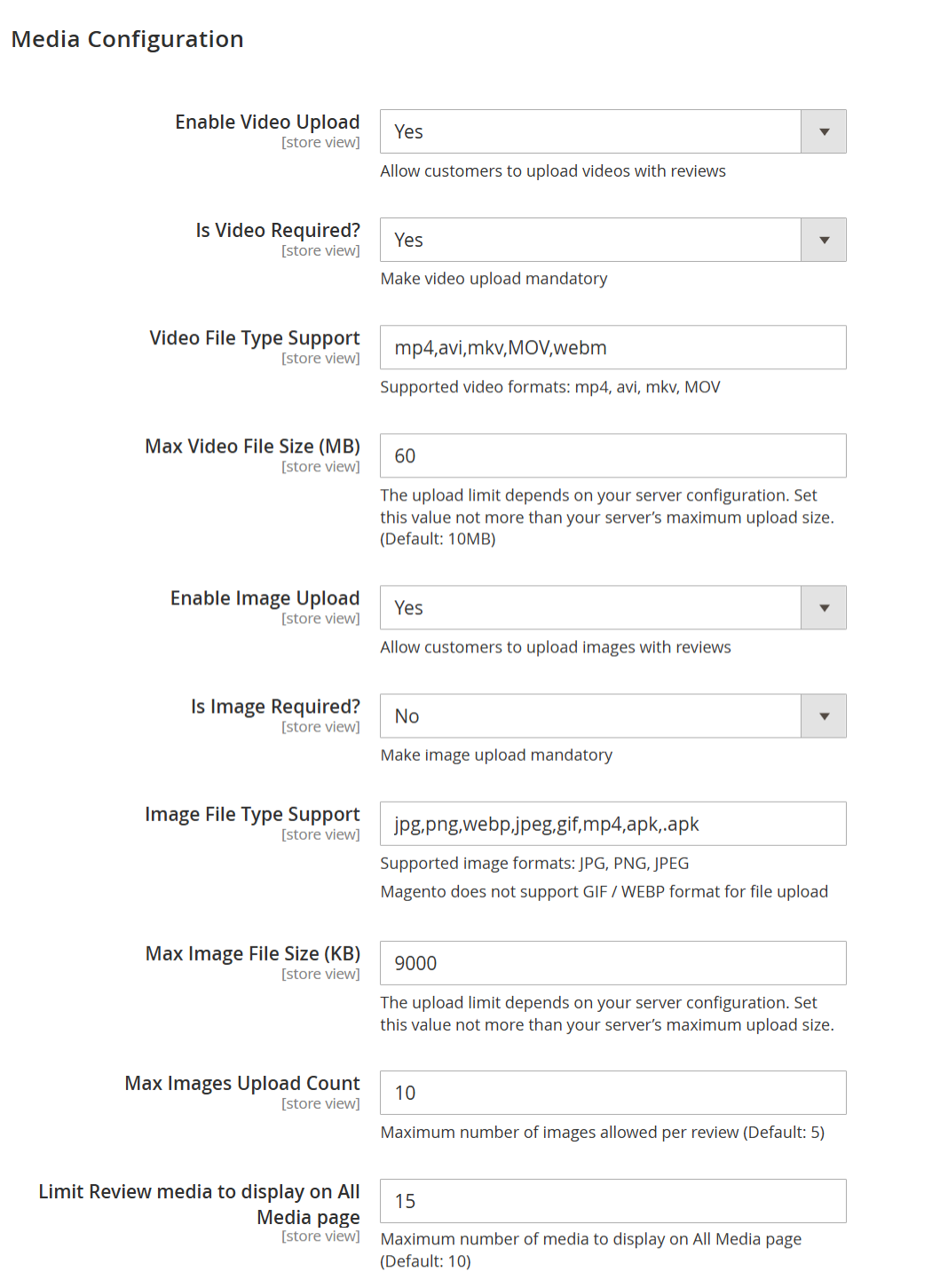
| Field | Description |
|---|---|
| Enable Video Upload | Allows customers to upload videos along with their product reviews. When enabled, a video upload option appears in the review submission form. |
| Is Video Required? | Makes video upload mandatory for submitting a review. If set to Yes, customers must upload at least one video to submit their review. |
| Video File Type Support | Specifies the allowed video file formats for upload. Only videos with the listed extensions (e.g., mp4, avi, mkv, MOV, webm) can be uploaded. |
| Max Video File Size (MB) | Defines the maximum allowed size for each uploaded video file. This value must not exceed the server’s maximum upload limit. Default recommended value is 10 MB. |
| Enable Image Upload | Allows customers to upload images with their product reviews. When enabled, image upload fields are displayed in the review form. |
| Is Image Required? | Makes image upload mandatory for submitting a review. If set to No, images are optional for customers. |
| Image File Type Support | Specifies the supported image file formats for upload. Common formats include JPG, PNG, and JPEG. Note: Magento does not natively support GIF and WEBP uploads. |
| Max Image File Size (KB) | Defines the maximum allowed size for each uploaded image file. The value should be within the server’s configured upload size limit. |
| Max Images Upload Count | Sets the maximum number of images a customer can upload per review. Helps control storage usage and review layout consistency. |
| Limit Review Media to Display on All Media Page | Limits the total number of review images and videos displayed on the All Media page. This helps improve page performance and load time. |
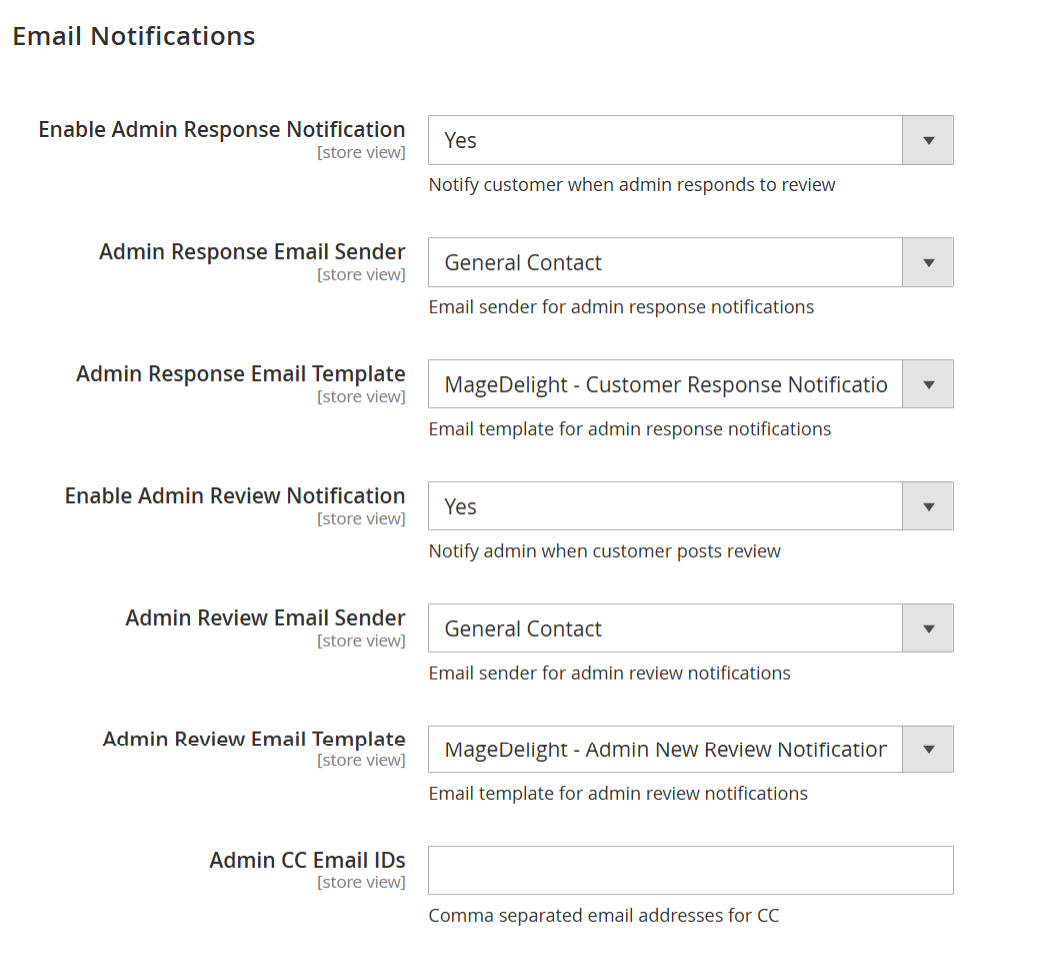
| Field | Description |
|---|---|
| Enable Admin Response Notification | When enabled, customers receive an email notification whenever an admin responds to their product review. |
| Admin Response Email Sender | Specifies the sender identity used for emails sent to customers regarding admin responses to reviews. |
| Admin Response Email Template | Selects the email template used to notify customers when an admin replies to their review. |
| Enable Admin Review Notification | When enabled, the admin receives an email notification whenever a customer submits a new product review. |
| Admin Review Email Sender | Specifies the sender identity used for emails sent to the admin about new product reviews. |
| Admin Review Email Template | Selects the email template used to notify the admin when a new review is submitted by a customer. |
| Admin CC Email IDs | Allows you to add one or more email addresses (comma-separated) to receive a carbon copy (CC) of admin review notification emails. |
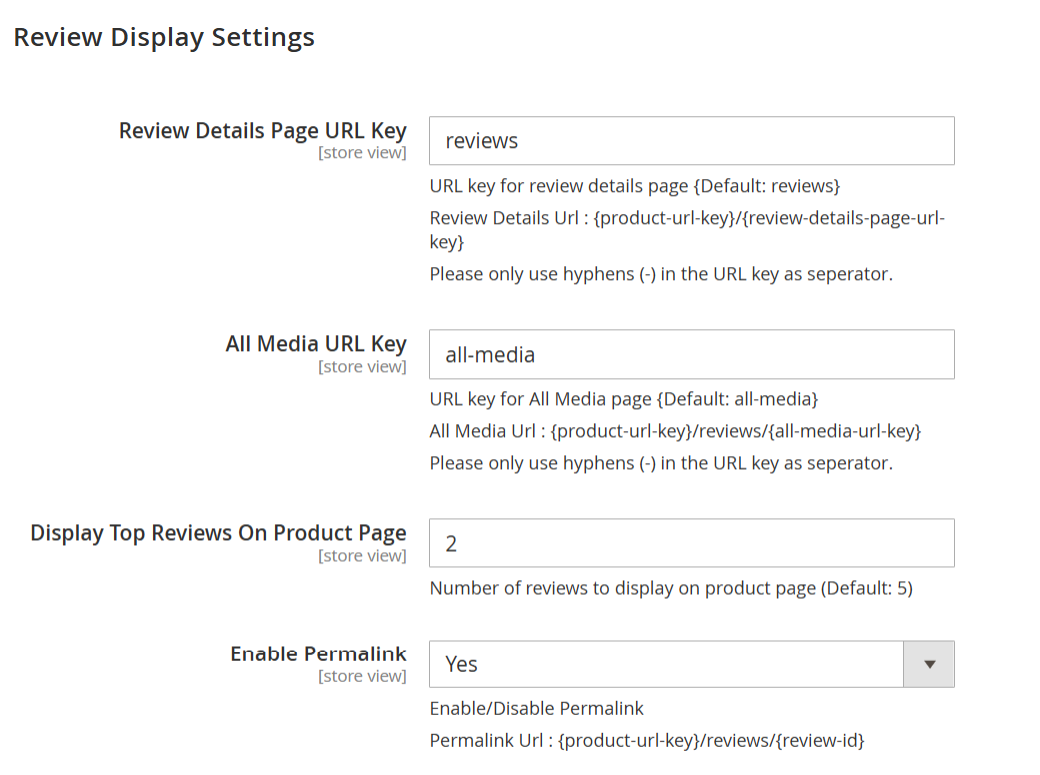
| Field | Description |
|---|---|
| Review Details Page URL Key | Defines the URL key used for the review details page. The review details page URL format will be: {product-url-key}/{review-details-page-url-key}. Only hyphens (-) are allowed as separators. |
| All Media URL Key | Defines the URL key for the All Media page, where all review images and videos are displayed. The page URL format will be: {product-url-key}/reviews/{all-media-url-key}. Only hyphens (-) are allowed as separators. |
| Display Top Reviews On Product Page | Specifies the number of top reviews displayed directly on the product detail page. This helps showcase the most relevant reviews without overcrowding the page. |
| Enable Permalink | Enables or disables permanent URLs for individual reviews. When enabled, each review can be accessed using a unique URL in the format: {product-url-key}/reviews/{review-id}. |
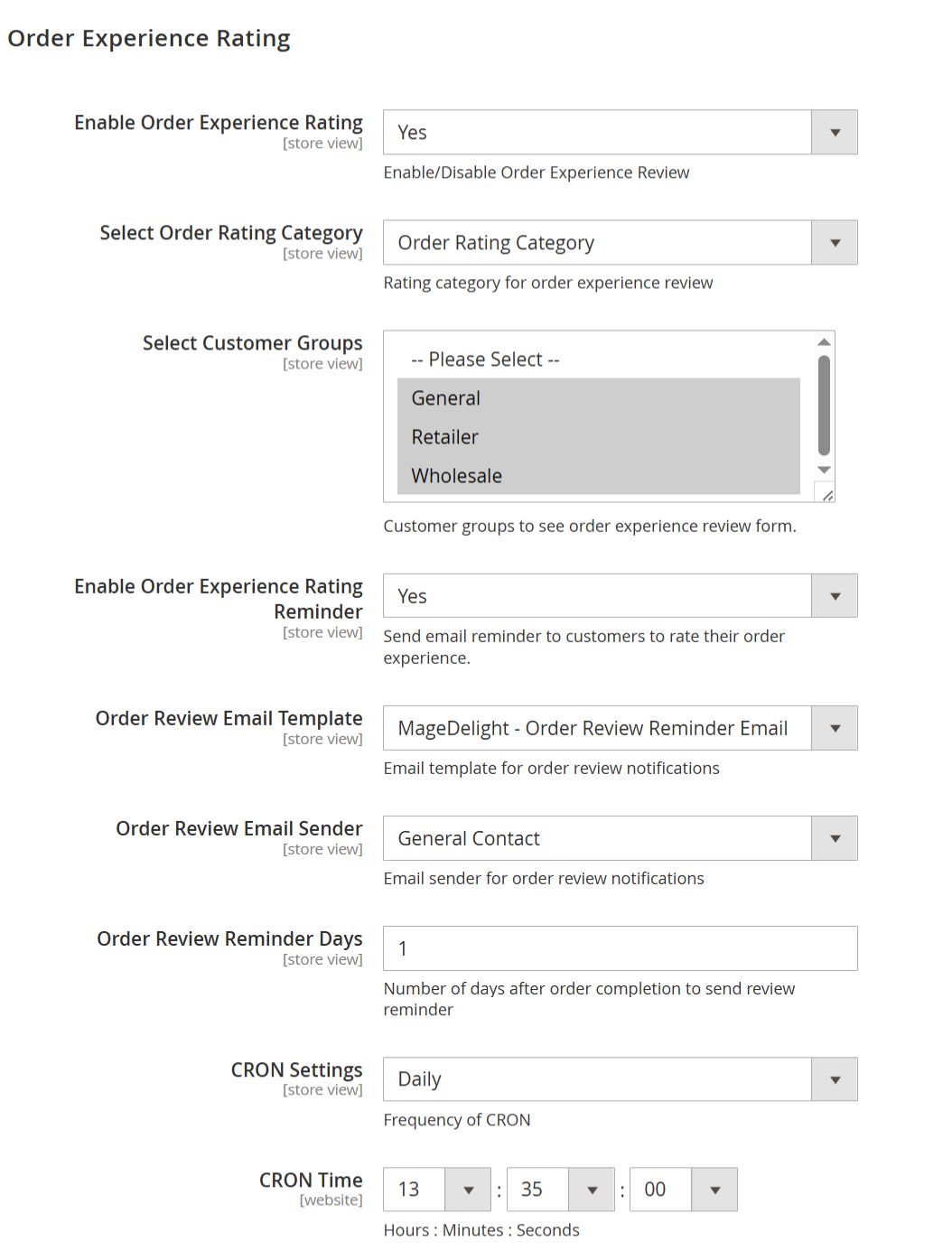
| Field | Description |
|---|---|
| Enable Order Experience Rating | Enables or disables the Order Experience Rating feature. When enabled, customers can rate their overall order experience in addition to product reviews. |
| Select Order Rating Category | Defines the rating category used for order experience reviews. Available options: • Order Rating Category – Default category for collecting overall order experience feedback. • Shipping Testing – Allows collecting ratings specifically related to shipping and delivery experience. |
| Select Customer Groups | Specifies which customer groups are allowed to see and submit the order experience rating form. Only the selected groups (e.g., General, Retailer, Wholesale) will be eligible. |
| Enable Order Experience Rating Reminder | Enables email reminders prompting customers to rate their order experience after order completion. |
| Order Review Email Template | Selects the email template used for sending order experience rating reminder emails. Available options: • MageDelight – Order Review Reminder Email (Default) – Default reminder email for order experience ratings. • MageDelight – Product Review Reminder Email – Reminder email focused on product reviews. • MageDelight – Order Review Reminder Email – Standard order experience reminder email. • MageDelight – Shipping Review Reminder Email – Reminder email focused on shipping experience reviews. • MageDelight – Product Review Promotional Coupons Email – Reminder email that includes promotional coupons for product reviews. |
| Order Review Email Sender | Defines the sender identity used for order experience rating reminder emails (for example, General Contact). |
| Order Review Reminder Days | Specifies the number of days after order completion when the order experience rating reminder email is sent to the customer. |
| CRON Settings | Defines the frequency at which the CRON job runs to process and send order experience rating reminder emails (for example, Daily). |
| CRON Time | Specifies the exact execution time (Hours : Minutes : Seconds) for the CRON job based on the selected frequency. |
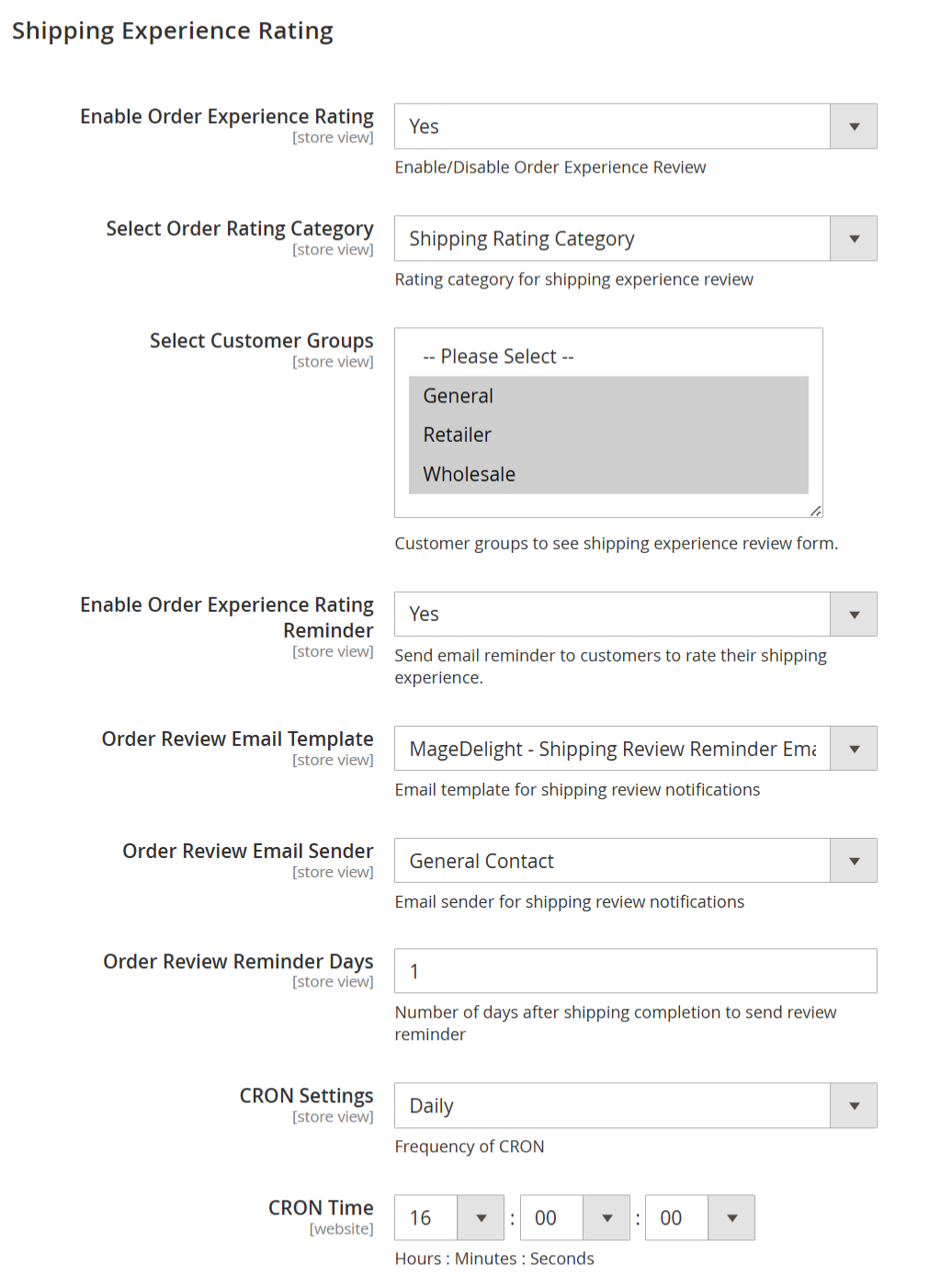
| Field | Description |
|---|---|
| Enable Order Experience Rating | Enables or disables the Shipping Experience Rating feature. When enabled, customers can rate their shipping and delivery experience separately from product and order reviews. |
| Select Order Rating Category | Defines the rating category used for shipping experience reviews. Available option: • Shipping Rating Category – Used to collect feedback specifically related to shipping, delivery speed, and handling. |
| Select Customer Groups | Specifies which customer groups are allowed to see and submit the shipping experience rating form. Only the selected groups (e.g., General, Retailer, Wholesale) will be eligible. |
| Enable Order Experience Rating Reminder | Enables email reminders prompting customers to rate their shipping experience after shipping completion. |
| Order Review Email Template | Selects the email template used for sending shipping experience rating reminder emails. Available options: • MageDelight – Shipping Review Reminder Email (Default) – Default email template for shipping experience reminders. • MageDelight – Product Review Reminder Email – Reminder email focused on product reviews. • MageDelight – Order Review Reminder Email – Reminder email focused on overall order experience. • MageDelight – Shipping Review Reminder Email – Standard shipping experience reminder email. • MageDelight – Product Review Promotional Coupons Email – Reminder email that includes promotional coupons for product reviews. |
| Order Review Email Sender | Defines the sender identity used for shipping experience rating reminder emails (for example, General Contact). |
| Order Review Reminder Days | Specifies the number of days after shipping completion when the shipping experience rating reminder email is sent to the customer. |
| CRON Settings | Defines the frequency at which the CRON job runs to process and send shipping experience rating reminder emails (for example, Daily). |
| CRON Time | Specifies the exact execution time (Hours : Minutes : Seconds) for the CRON job based on the selected frequency. |
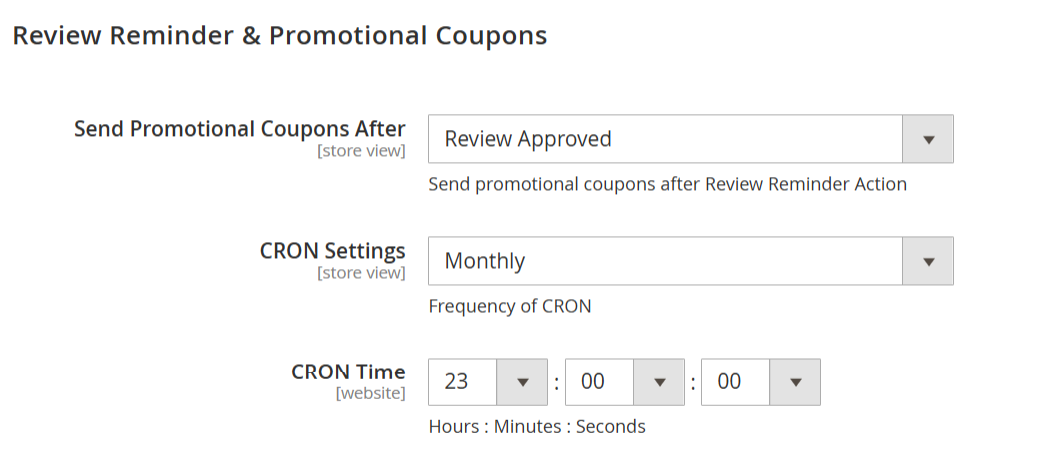
| Field | Description |
|---|---|
| Send Promotional Coupons After | Defines when promotional coupons are sent to customers after a review action. Available options: •Review Posted – Sends the promotional coupon immediately after the customer submits a review, before admin approval. • Review Approved – Sends the promotional coupon only after the review is approved by the admin. This option helps prevent misuse and ensures only valid reviews receive coupons. |
| CRON Settings | Specifies how frequently the CRON job runs to process and send promotional coupons (for example, Monthly). |
| CRON Time | Defines the exact execution time (Hours : Minutes : Seconds) at which the CRON job will run based on the selected frequency. |
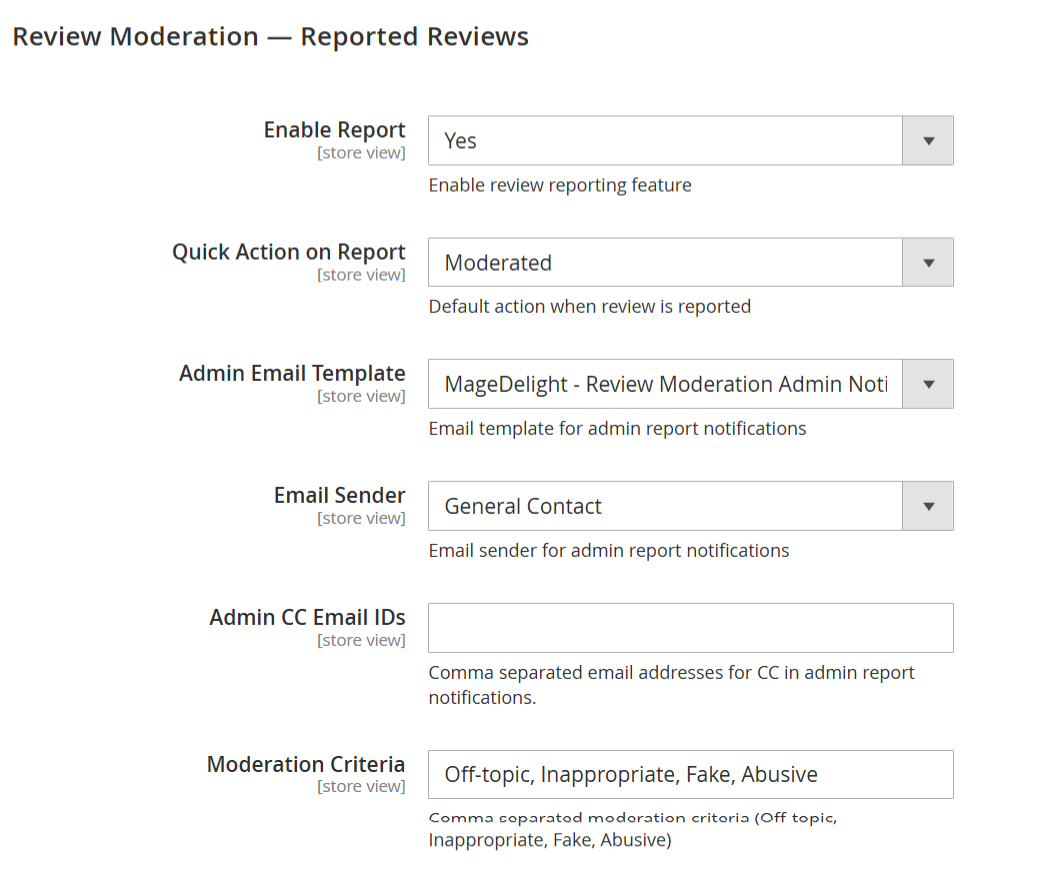
| Field | Description |
|---|---|
| Enable Report | Enables or disables the review reporting feature on the storefront. When enabled, customers can report reviews they believe are inappropriate or violate marketplace policies. |
| Quick Action on Report | Defines the default system action applied when a review is reported by a customer. Commonly used option: • Moderated – The reported review is flagged and moved into moderation, requiring admin review before further action. • Pending – The review status is changed to pending and awaits admin approval. |
| Admin Email Template | Selects the email template used to notify the admin when a review is reported by customers. |
| Email Sender | Specifies the sender identity used for admin report notification emails (for example, General Contact). |
| Admin CC Email IDs | Allows adding one or more email addresses (comma-separated) to receive a carbon copy (CC) of reported review notification emails. |
| Moderation Criteria | Defines the list of reasons displayed to customers when reporting a review. Multiple criteria can be configured using comma-separated values (for example, Off-topic, Inappropriate, Fake, Abusive). |
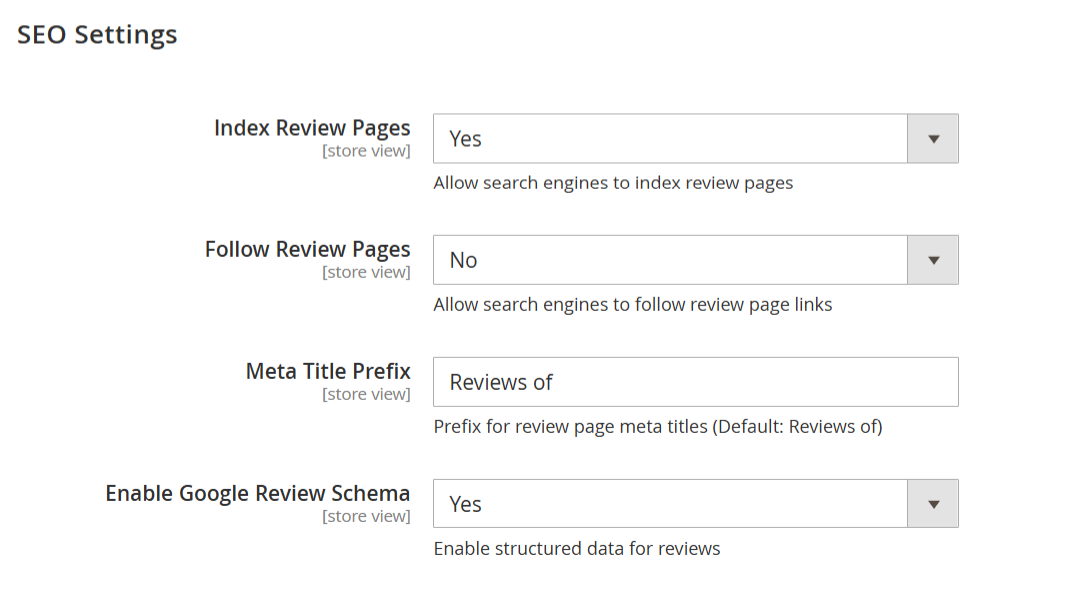
| Field | Description |
|---|---|
| Index Review Pages | Allows search engines to index review pages. When enabled, review-related pages can appear in search engine results, improving organic visibility. |
| Follow Review Pages | Controls whether search engines are allowed to follow links on review pages. Setting this to No prevents passing link equity from review pages to other URLs. |
| Meta Title Prefix | Defines the prefix added to the meta title of review pages. This helps standardize review page titles for better search visibility (default value: “Reviews of”). |
| Enable Google Review Schema | Enables structured data (schema markup) for product reviews. This allows search engines to display rich results such as star ratings and review counts in search listings. |
Backend Functionality
Frontend Functionality
Thank you for choosing MageDelight!