Versions Compared

Key

  • This line was added.
  • This line was removed.
  • Formatting was changed.

...

Section

Backend Configuration (Admin side)


Panel

Image Added

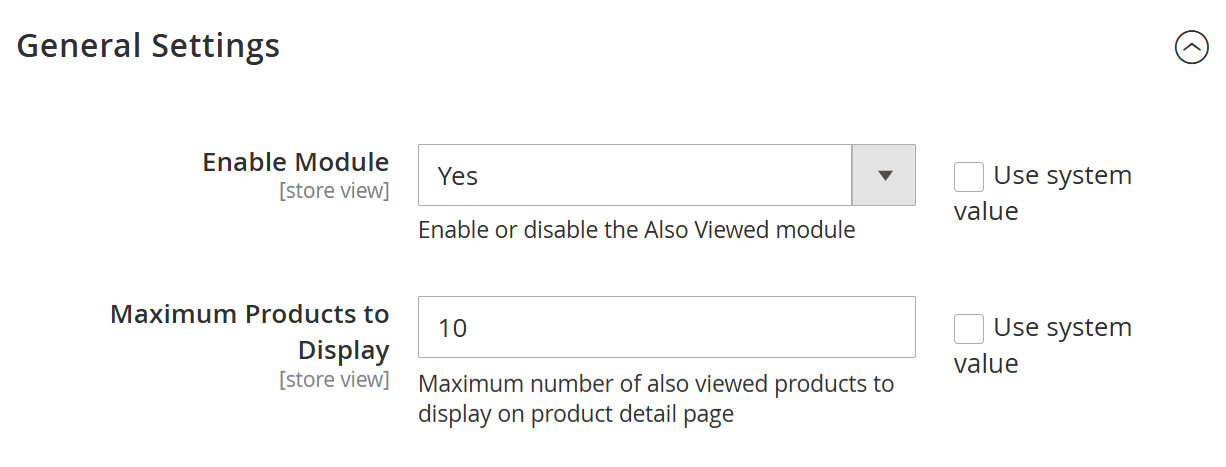
  • Admin Panel →  MageDelight → Also Viewed Products → Configuration→General Settings
FieldDescription
Enable Module

Enables or disables the Also Viewed Product feature at the store view level. Select Yes to

activate the module functionality on the storefront. Select No to disable the feature.

Maximum Products to Display

Defines the maximum number of “Also Viewed” products to display on the Product Detail

Page (PDP). The system will show up to the configured number of associated products

based on the calculated view weight logic.


Panel
Note
Panel
Panel
Panel

Image Added


FieldDescription
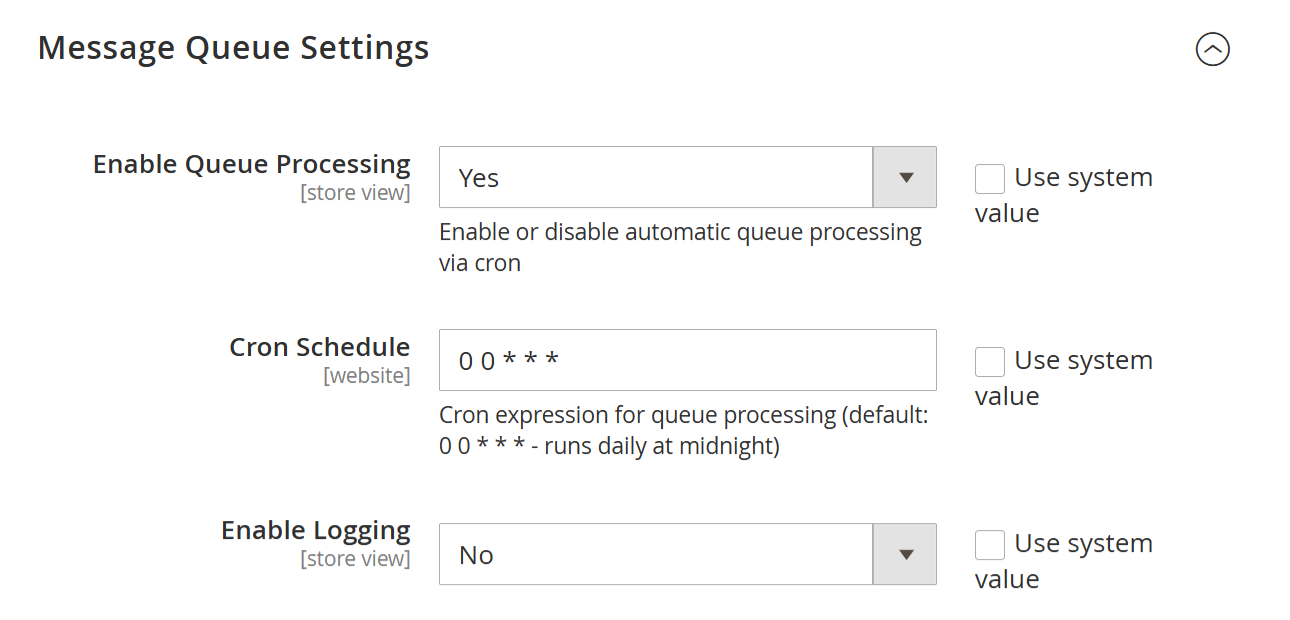
Enable Queue Processing

Enables or disables automatic message queue processing via CRON. Select Yes to allow the

system to process queued product view associations automatically. Select No to disable

automatic processing.

Cron Schedule

Defines the CRON expression used to process the message queue. The default value

0 0 * * * runs the queue processing daily at midnight. Merchants may adjust the schedule

based on store traffic and performance requirements.

Enable Logging

Enables or disables system logging for queue processing activities. Select Yes to generate logs

for debugging and monitoring purposes. It is recommended to disable logging in production

environments unless troubleshooting is required.


Section

Backend Functionality


Panel

Image Added

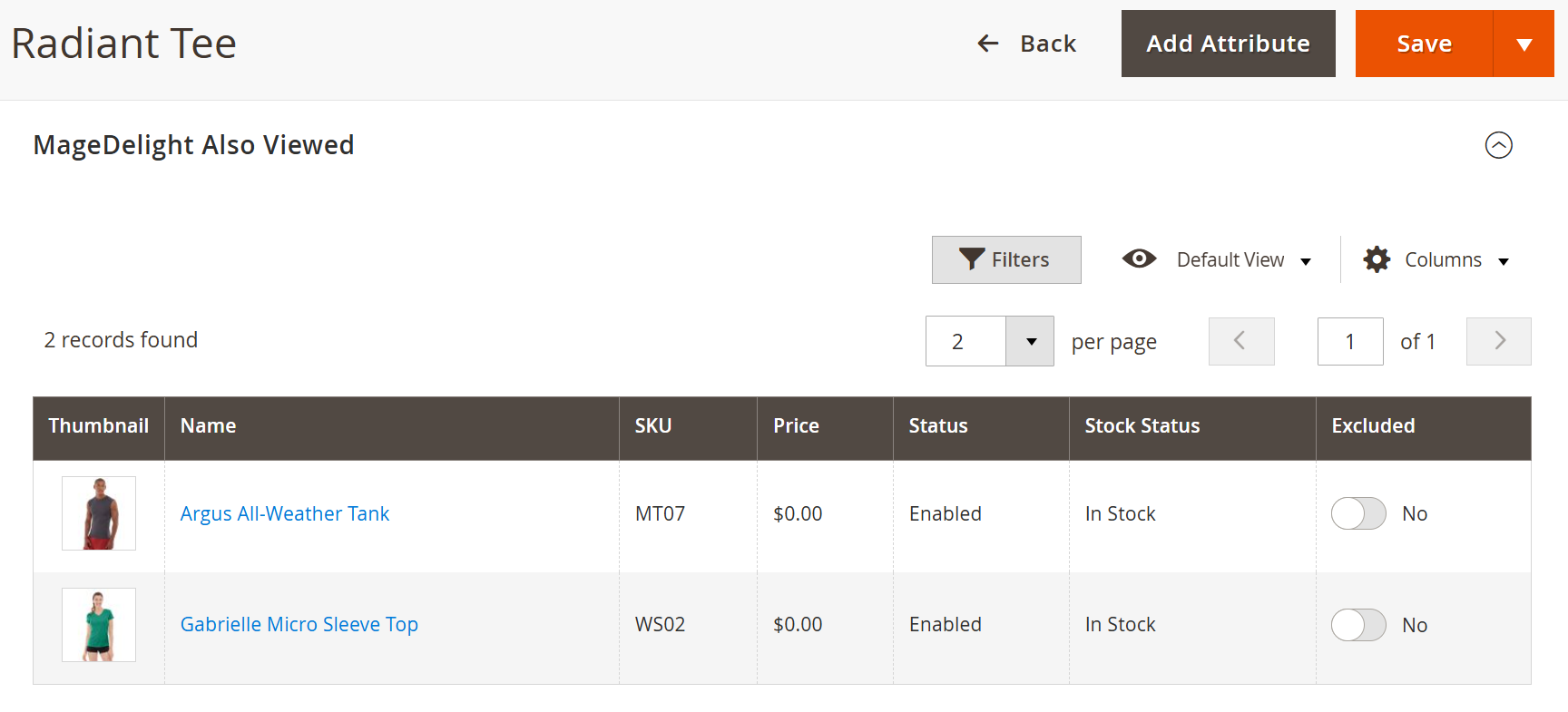
  • Admin Panel → Catalog → Products → Select Product → MageDelight Also Viewed
  • The MageDelight Also Viewed section is available within each product’s edit page in the Admin Panel.

  • This section displays a list of all products that have been frequently viewed together with the selected product based on real customer browsing behavior.

  • For example, in the case of the “Radiant Tee” product (as shown in the screenshot), the system displays associated products that customers have viewed alongside this item.

ColumnDescription
ThumbnailDisplays the product image for quick visual identification.
NameProduct name of the associated item.
SKUSKU of the associated product.
PriceCurrent product price.
StatusIndicates whether the product is enabled or disabled.
Stock StatusDisplays product availability (In Stock / Out of Stock).
Excluded

Allows administrators to exclude a product from appearing in the “Frequently Viewed

Together” slider for this specific product.


note
Section

Frontend Functionality


Panel
Panel
Panel
Panel
Panel
Panel

Image Added

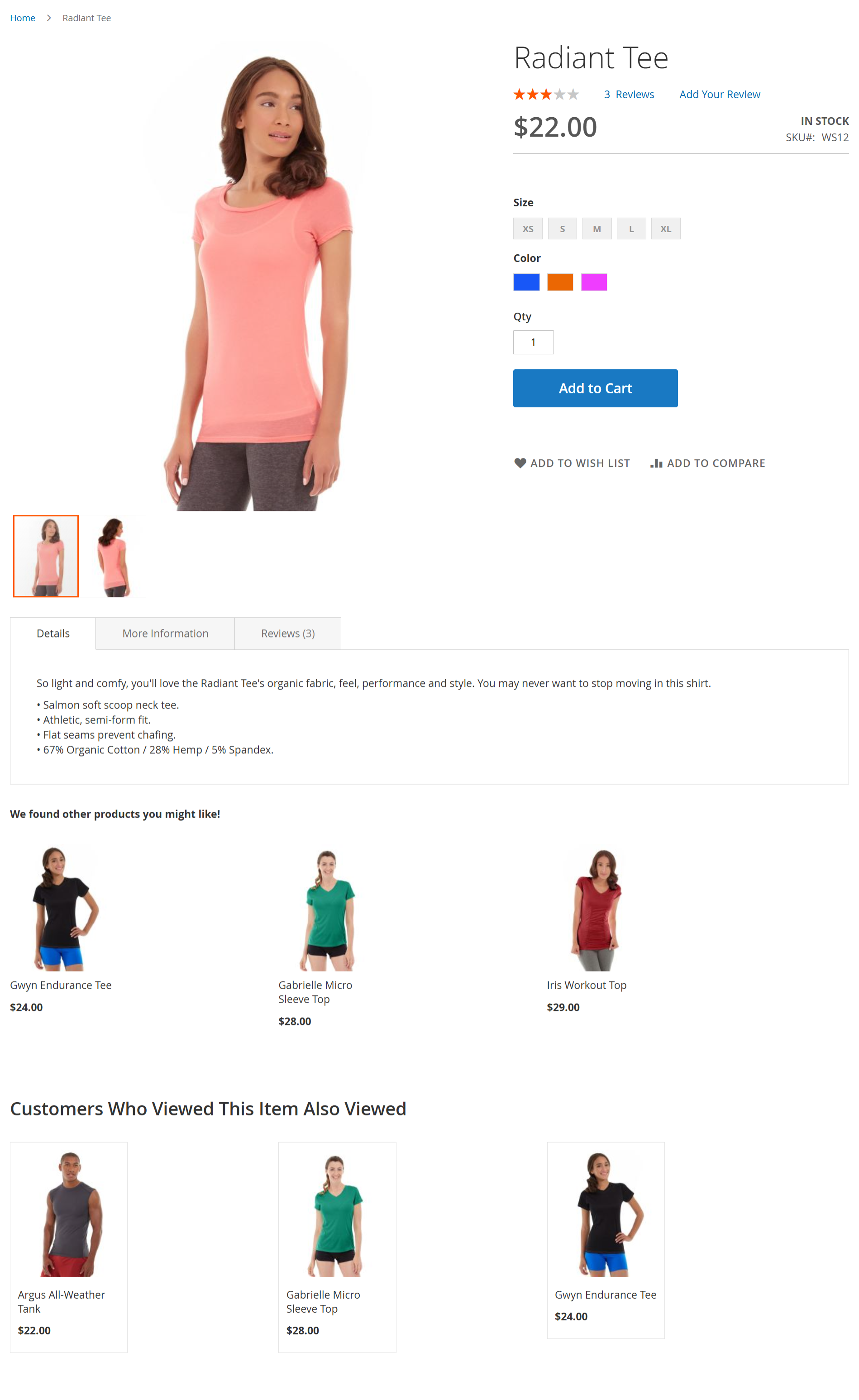
Frontend Functionality – Customers Who Viewed This Item Also Viewed

  • Displays a dedicated “Customers Who Viewed This Item Also Viewed” section on the Product Detail Page (PDP).

  • Automatically showcases products that were frequently viewed together with the current product.

  • Uses a weighted co-view algorithm to prioritize the most relevant product suggestions.

  • Updates dynamically based on real customer browsing behavior.

  • Requires no manual configuration or product assignment.

  • Enhances product discovery and improves cross-sell opportunities.

  • Helps increase Average Order Value (AOV) through behavior-driven recommendations.

  • Fully compatible with Magento Open Source and Adobe Commerce environments.


Section

Demo


Click here to visit frontend.

Click here to visit backend admin panel.

...