Versions Compared

Key

  • This line was added.
  • This line was removed.
  • Formatting was changed.

...

Section

Backend Configuration (Admin side)


Panel

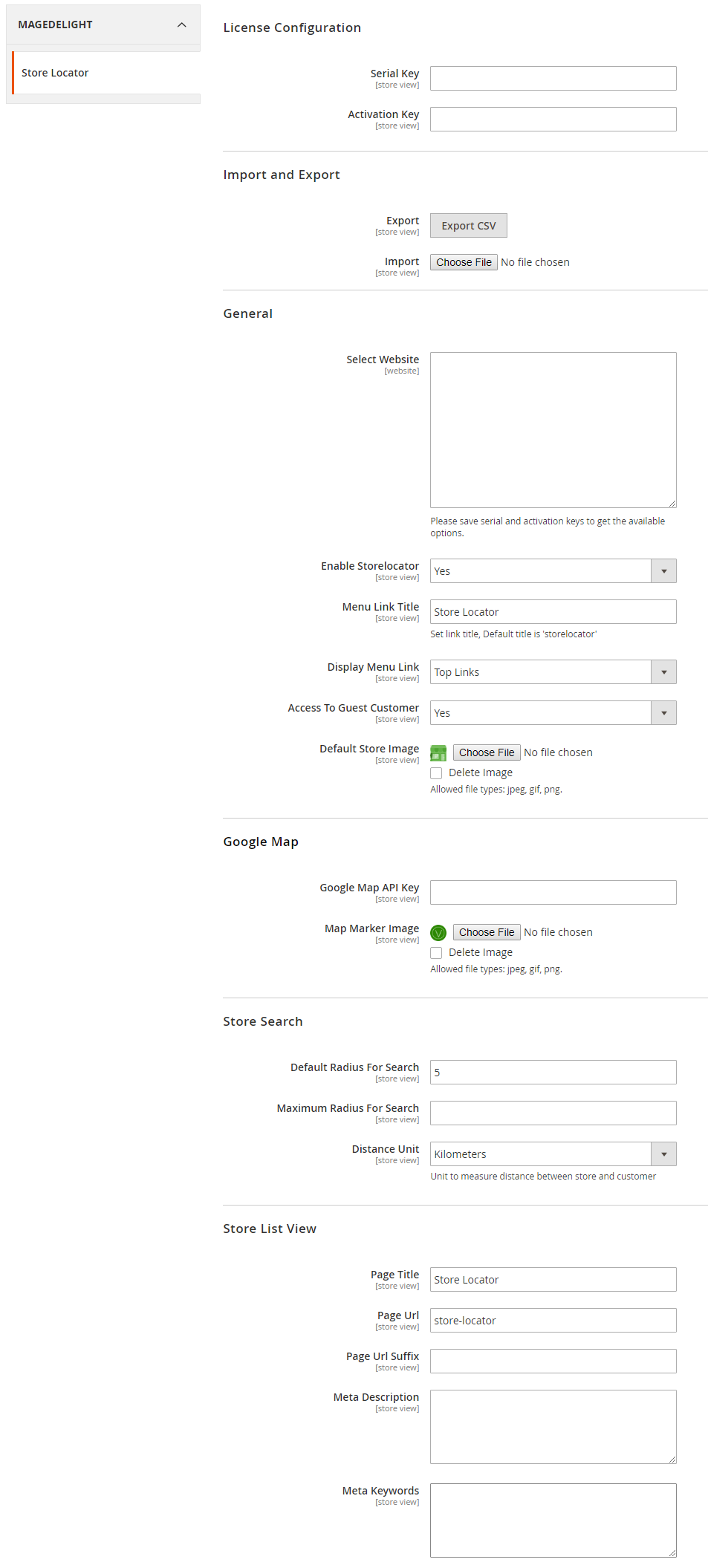
  • General
    • Enable Store locator: Enable/Disable the store locator Locator extension
    • Menu Link Title: Store locater locator page link title
    • Display Menu Link: Where to To show store locater link? Options can be locator link on Top Link or Top Navigation menu
    • Access to Guest Customer: Set access limit to allows store locator to guest customer or not
    • Default Store Image: You can upload default image to be shown, if particular store don’t have uploaded store image
  • Google Map
    • Google Map API Key: Defined Google map API key

    • Map Marker Image: You can To upload Google map marker image if needs to show specific image. Else default Google map marker image would be used

  • Store Search

    • Default Radius for Search: You can To define default radius of distance to be cover while searching store on Google map

    • Maximum Radius for Search: Set maximum radius limit user can search store from his current location

    • Distance Unit: Distance unit while search on Google map. Options can be Kilometers or Miles

  • Store List View

    • Page Title: Define Store locator page title

    • Page URL: Define Store locater locator page URL

    • Page URL suffix: Store locator page URL suffix
    • Meta Description: You can To define Meta description for store locator page
    • Meta data: You can To define Meta data for store locator page

...

Section

Backend Functionality


Add new Store

Panel


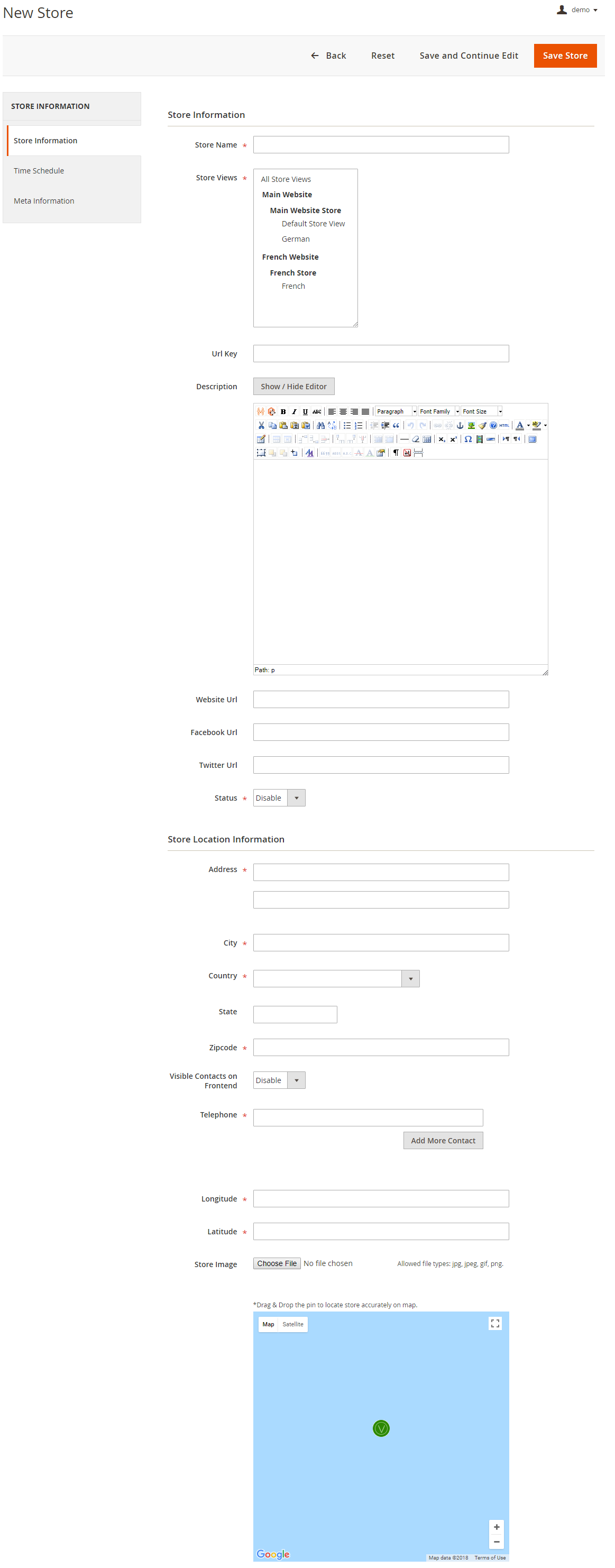
  • Store Name: Define store name
  • URL Key: Define SEO friendly URL key for store details page. If not defined, it would be auto generated from store name
  • Store Description: Describe store details to be shown on store detail page
  • Website URL: Store website URL if have any
  • Facebook URL: Facebook page to show link on store details page
  • Twitter URL: Twitter URL to show link on store details page
  • Status: To Enable/Disable the store
  • Address: Define store address details with city, state, country, zip code. Based on given address, store will be located on Google map
  • Telephone: You can add multiple phone number for store
  • Visible contact on frontend: Set visibility of phone number at frontend
  • Store Image: upload store image/icon
  • Google Map: Based on given address store will be located on Google map. However you can use drag & drop feature to show map accurately on map
  • Longitude & latitude: Its value will be automatically set based on the store locate on Google map. However you can edit if needed
Panel

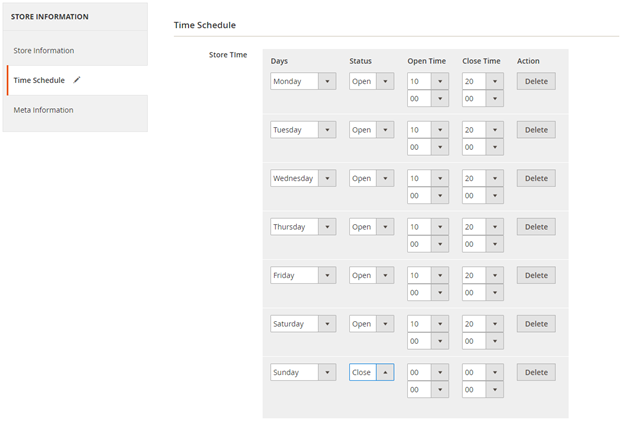
  • Time Schedule: Here you can define the stores working days and working time of the store. You can define working time for each week day or even set close time too. As shown with below image
Panel

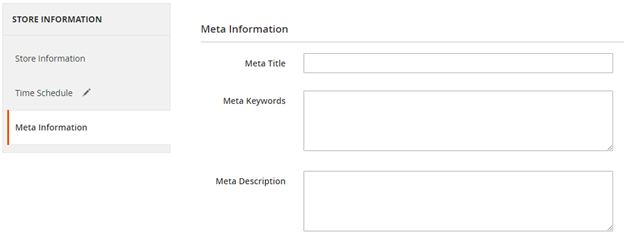
  • Meta data: You can define Meta title, Meta keywords and Meta description for SEO purpose for each store detail page at frontend. As shown with below above image

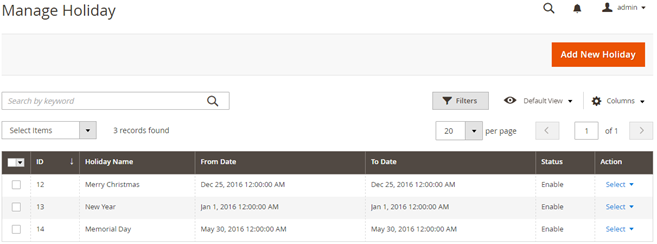
Manage Holiday

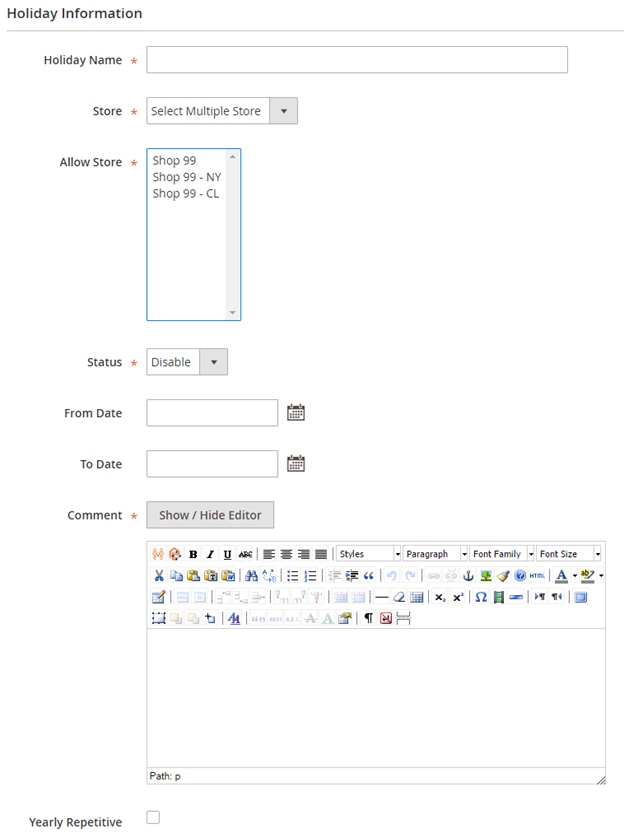
You can manage holidays for each individual store or all stores. You can create holiday for one day or vacation period for multiple days. Refer below image,

Panel

Add New Holiday

Panel


  • Holiday Name: You can defineDefine as per your need
  • Store: All Stores/Selected stores. You can have holiday for all store or select multiple stores.
  • Status: Enable/Disabled holiday.
  • From Date: Select holiday start date.
  • To date: Select holiday end date.
  • Comment: Specific not for holiday if have any.
  • Repeat Yearly: If you check this check box, particular holiday will repeat every year on same date. For example you can define 1st Jan New Year holiday, and mark this day to repeat every year.

...

Section

Frontend Functionality


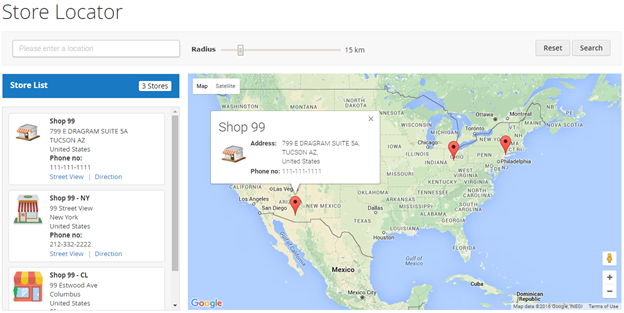
Once you configured the extension and create stores, the store will be listed on store locator page. The store locator link will be displayed on top links or with top menu, based on how it configured. Store locater locator page will be look linklike,

Panel

Search Store

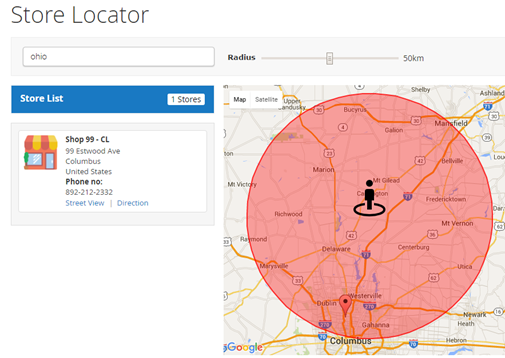
You can search nearest store with store search feature, user can use radius from to find nearest store from his current location. As shown with below location.

Panel

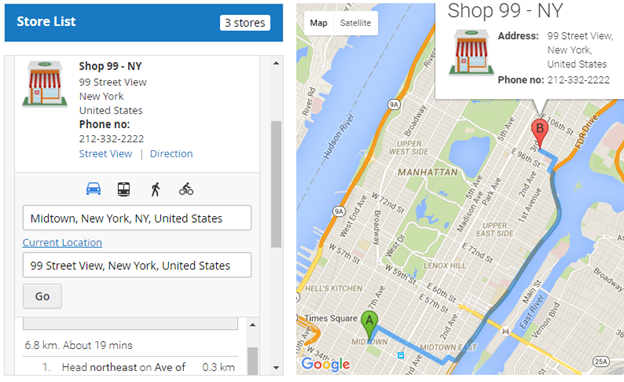
It also helps to find direction from your current location or from particular location to particular store. Refer below image,

Panel

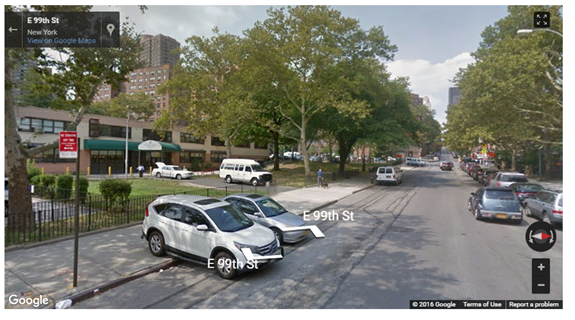
Street view

That also supports street view of store, as show with below image

Panel

Store page

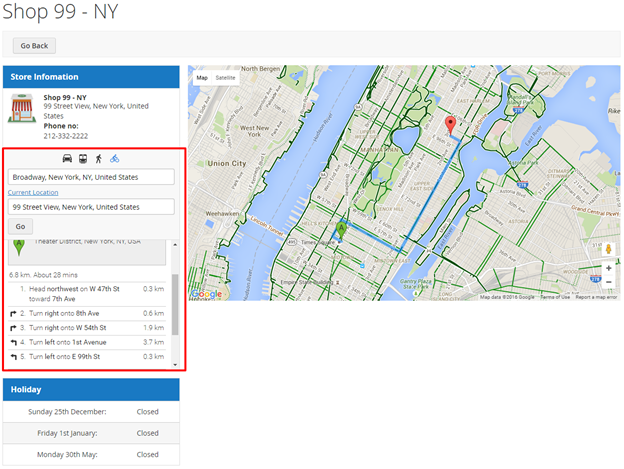
Store page will contain details of particular store with store description, address. You can also have the direction finder supported by map. It also includes working days & , time details , and upcoming holiday list.

Panel


Section

Demo


Click here to visit product detail page.

Click here to visit frontend.

Click here to visit backend admin panel.

...