Frontend Functionality
Ways to Start Writing a Product Review| Panel |
|---|
|
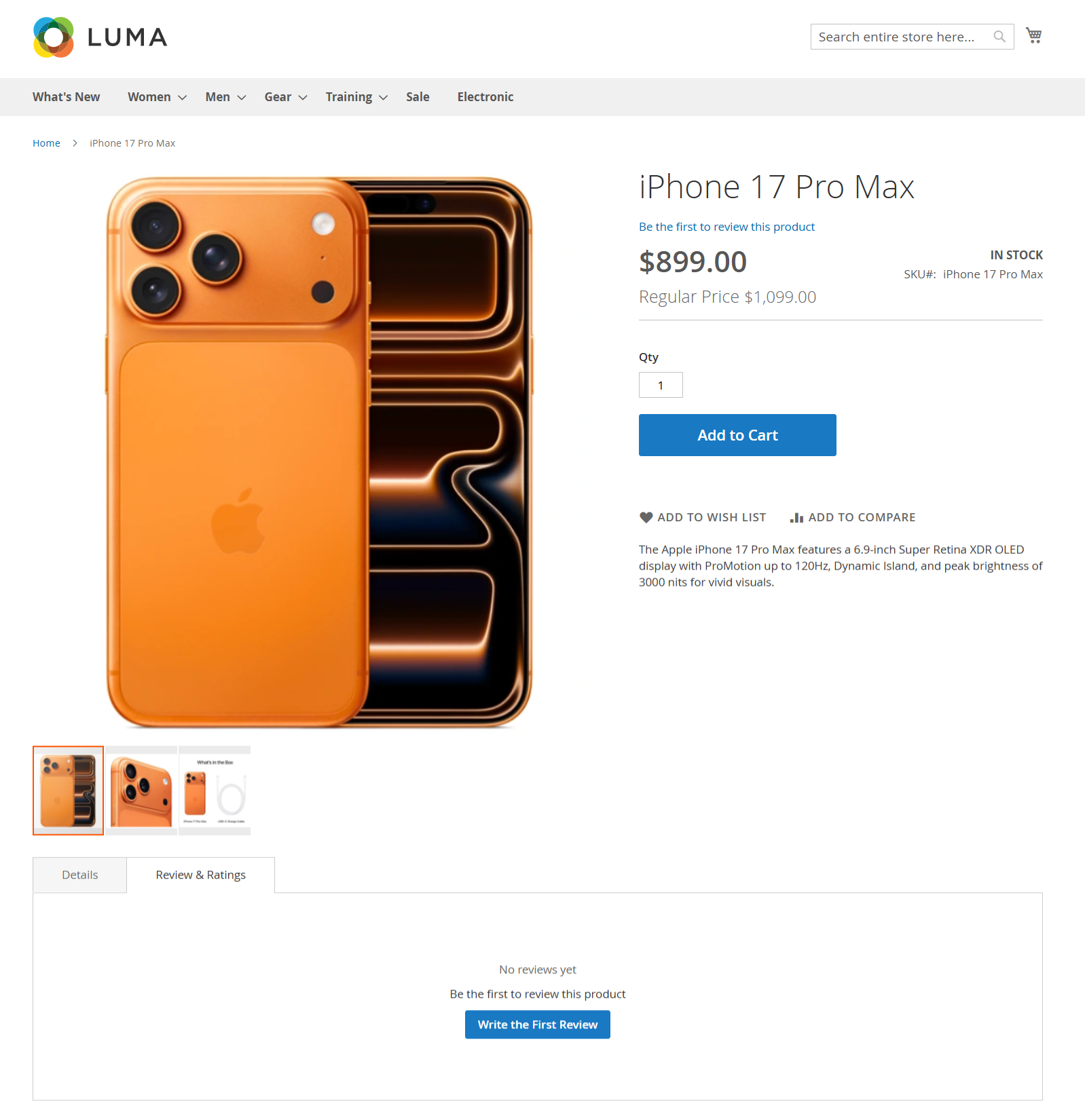
How to Write a Product Review Customers can submit a review for a product in two different ways on the product detail page: Method 1: “Be the first to review this product” (Product Summary Section)On the product detail page, below the product name and price, click the “Be the first to review this product” link. This action will directly open the review submission form.
Method 2: “Write the First Review” (Reviews & Ratings Tab)Scroll down to the Reviews & Ratings section on the product page. If no reviews are available, a message saying “No reviews yet” will be displayed. Click the “Write the First Review” button to open the review submission form.
Both options lead to the same review form, allowing customers to rate the product and share their feedback. | Panel |
|---|
|
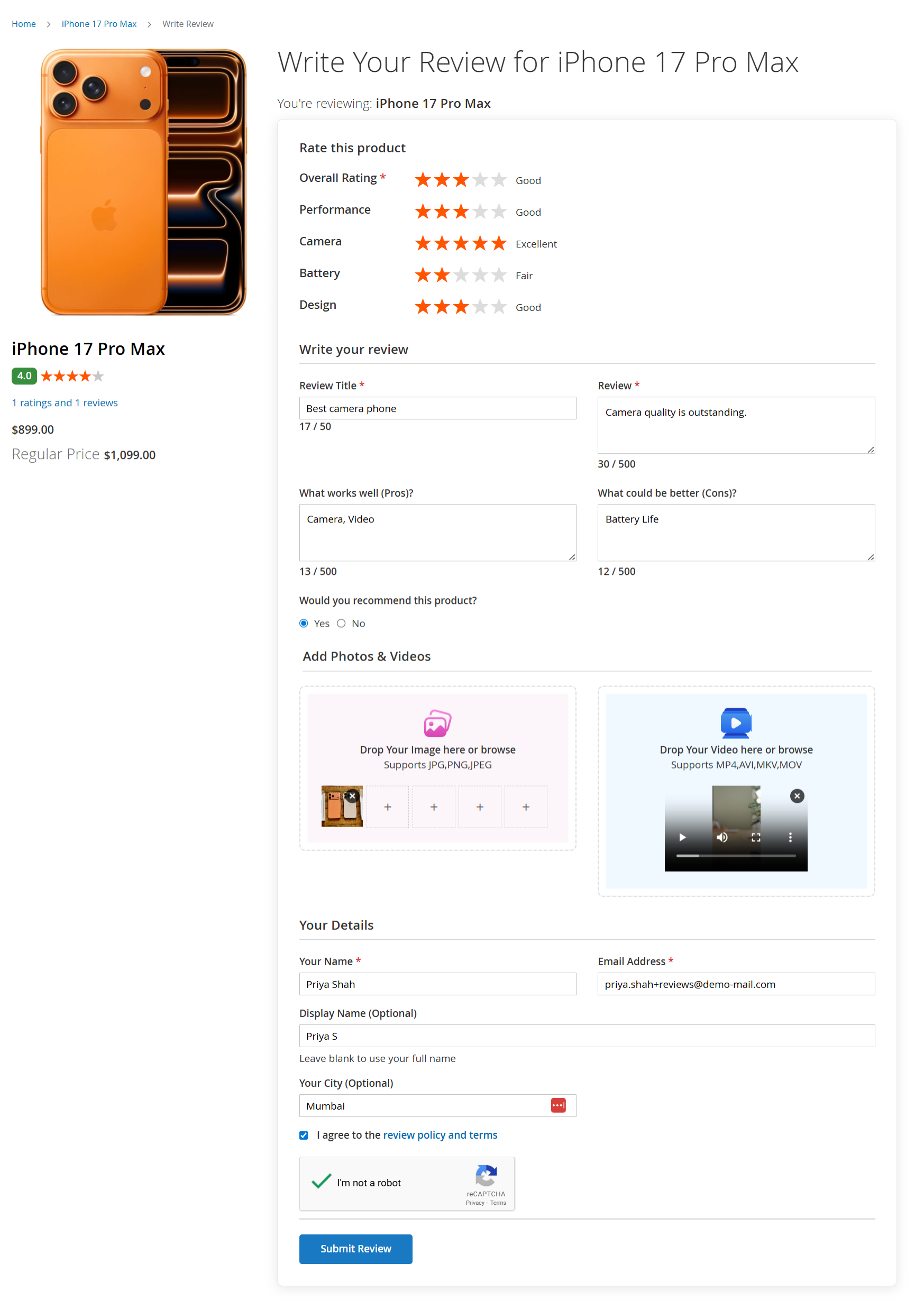
Write a Product ReviewAfter clicking “Be the first to review this product” or “Write the First Review”, customers are redirected to the Write Review page. Rate This ProductCustomers can rate the product by selecting star ratings. An Overall Rating is required. Additional rating criteria such as Performance, Camera, Battery, and Design may be displayed. Each rating shows a visual star selection along with a text indicator (e.g., Good, Excellent).
Write Your ReviewReview Title: Enter a short summary of your experience. Review: Share detailed feedback about the product. Character limits are displayed below each field to guide users.
Pros & ConsProduct RecommendationAdd Photos & VideosCustomers can upload product images by dragging and dropping files or browsing from their device. Supported image formats are displayed on the screen. Customers can also upload a video review, with supported video formats mentioned in the upload area.
Your DetailsYour Name and Email Address are required. Display Name is optional and will be shown publicly if provided. City can be added optionally. Customers must agree to the review policy and terms. A CAPTCHA verification is required to submit the review.
Submit ReviewReview Policy and Submission Terms| Panel |
|---|
|
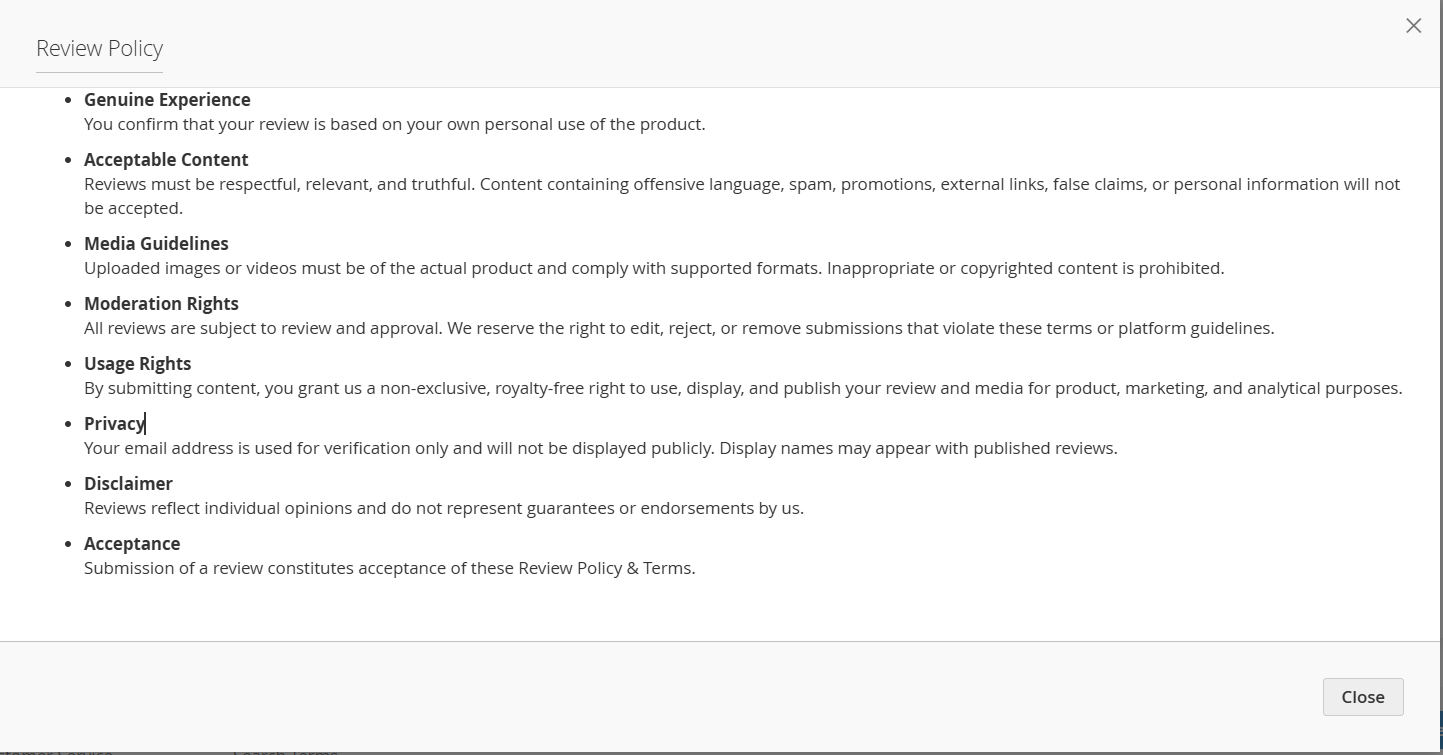
When customers click on “review policy and terms” while submitting a product review, a policy window is displayed outlining the rules and guidelines for posting reviews. This section informs customers about: Submitting reviews based on genuine personal experience Content guidelines, including acceptable language and prohibited material Rules for uploading images and videos with reviews Review moderation and approval process Usage rights for submitted reviews and media Privacy handling of customer information Legal disclaimers related to review content
Customers must agree to these terms before submitting a review. Submitting a review confirms acceptance of the review policy and submission guidelines. Product Rating Summary Overview| Panel |
|---|
|
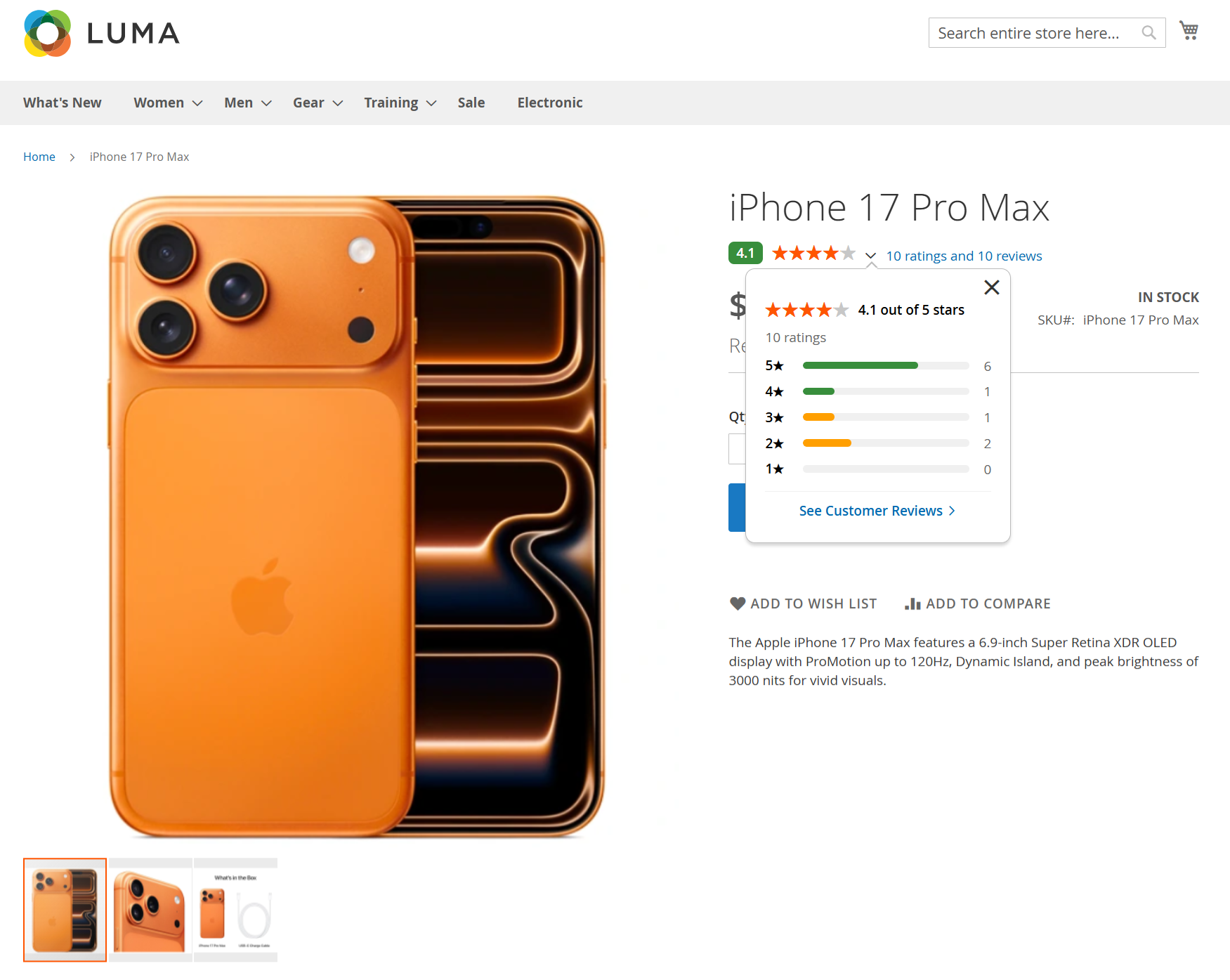
The Product Rating Summary is displayed on the product detail page next to the product name. It provides customers with a quick overview of the overall product rating based on submitted customer reviews. When customers click on the rating summary: A detailed rating breakdown is displayed in a popup The popup shows the average rating, total number of ratings, and star-wise distribution (5-star to 1-star) Each rating bar represents how many customers rated the product at that level Customers can click “See Customer Reviews” to navigate to the full Reviews & Ratings section
This feature helps customers quickly evaluate product quality and make informed purchase decisions before viewing detailed reviews. Reviews & Ratings Section| Panel |
|---|
|
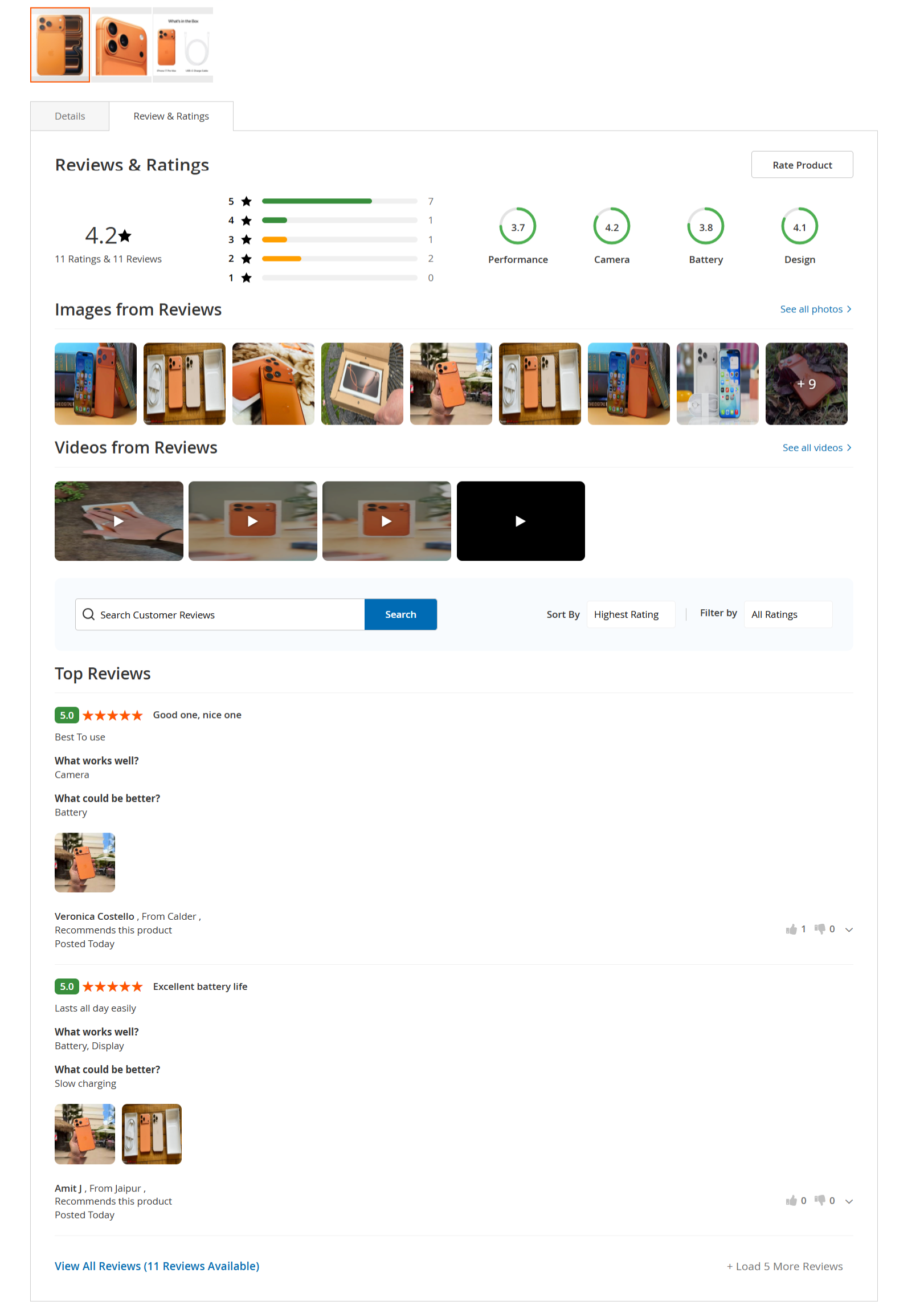
The Reviews & Ratings section displays all customer feedback submitted for the product in a structured and easy-to-understand format. This section allows customers to: View the overall product rating along with the total number of ratings and reviews See a star-wise rating distribution (5-star to 1-star) View attribute-based ratings such as Performance, Camera, Battery, and Design Browse images and videos uploaded by customers with their reviews Click “See all photos” or “See all videos” to view media in detail Search customer reviews using keywords Sort reviews by rating (e.g., Highest Rating) Filter reviews based on selected rating levels Read highlighted Top Reviews with pros, cons, recommendation status, and reviewer details Click “View All Reviews” to load additional customer reviews Use the “Rate Product” button to submit a new review
This section helps customers evaluate real user experiences and make informed purchase decisions. | Panel |
|---|
|
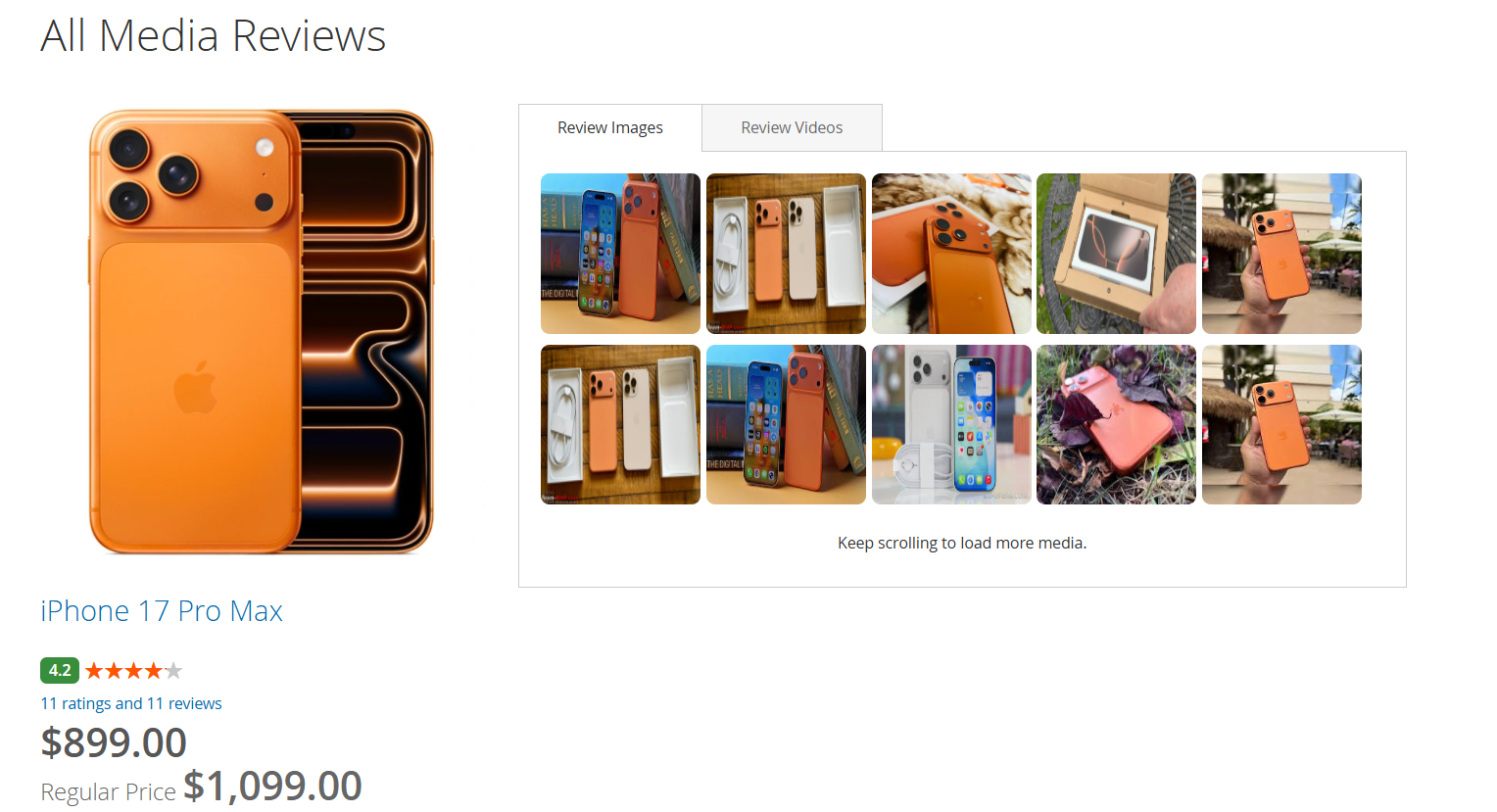
When a customer clicks on “See all photos” from the Reviews & Ratings section, they are redirected to the All Media Reviews page. This page displays: All images uploaded by customers as part of their product reviews A tab-based view to switch between Review Images and Review Videos Media displayed in a grid layout for easy browsing Product details such as product name, price, and overall rating for reference Automatic loading of additional media as the customer scrolls
This section allows customers to visually explore real customer-submitted images and videos, helping them better understand the product through real-world usage before making a purchase decision. | Panel |
|---|
|
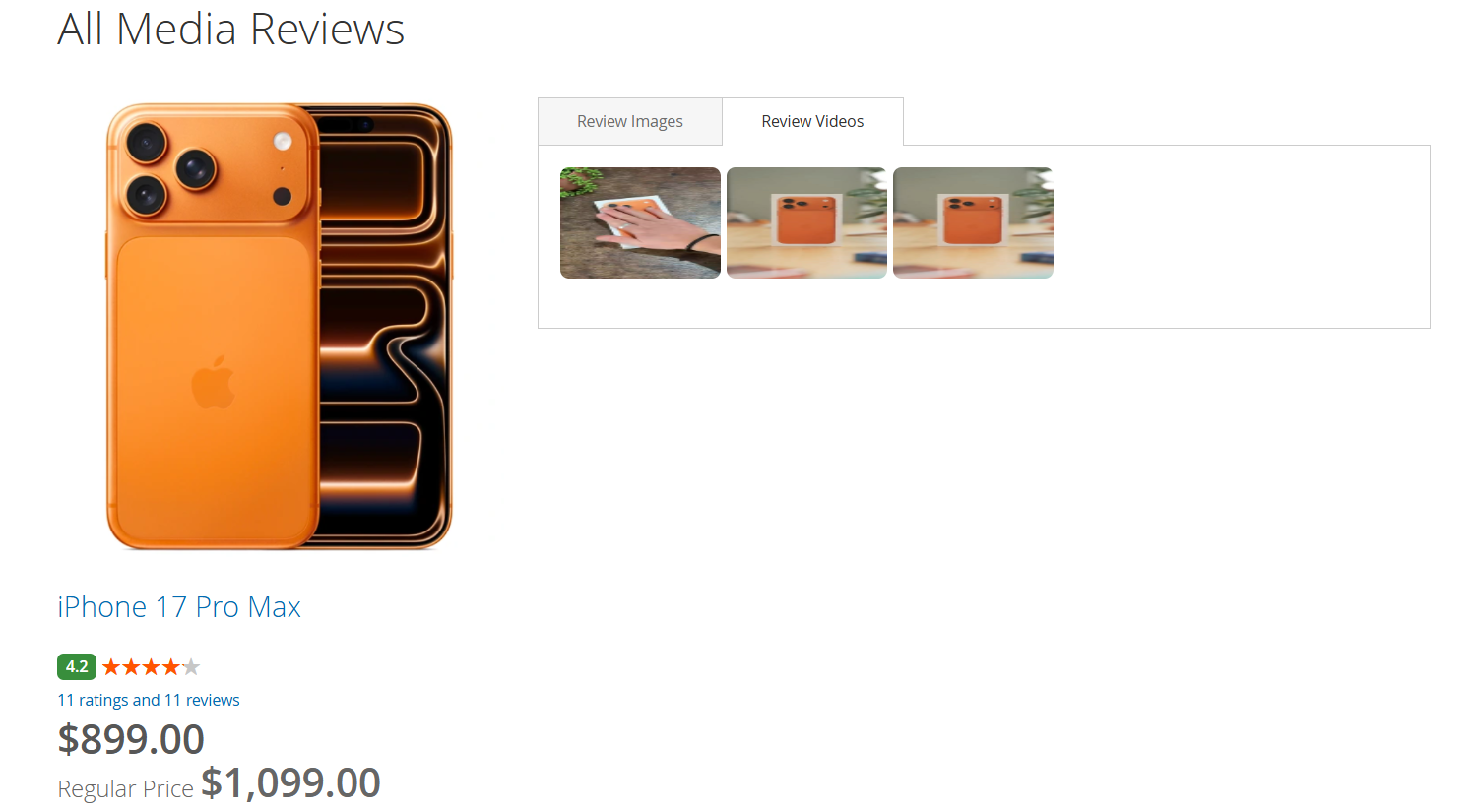
When a customer clicks on “See all videos” from the Reviews & Ratings section or switches to the Review Videos tab on the All Media Reviews page, all customer-submitted review videos for the product are displayed. This page allows customers to: View videos uploaded by customers as part of their product reviews Switch between Review Images and Review Videos using tabs Play videos directly from the media grid See related product information such as product name, price, and overall rating Scroll through available review videos in a structured layout
This section helps customers understand the product through real customer video experiences, providing additional confidence before making a purchase. Review Actions: Permalink and Report| Panel |
|---|
|
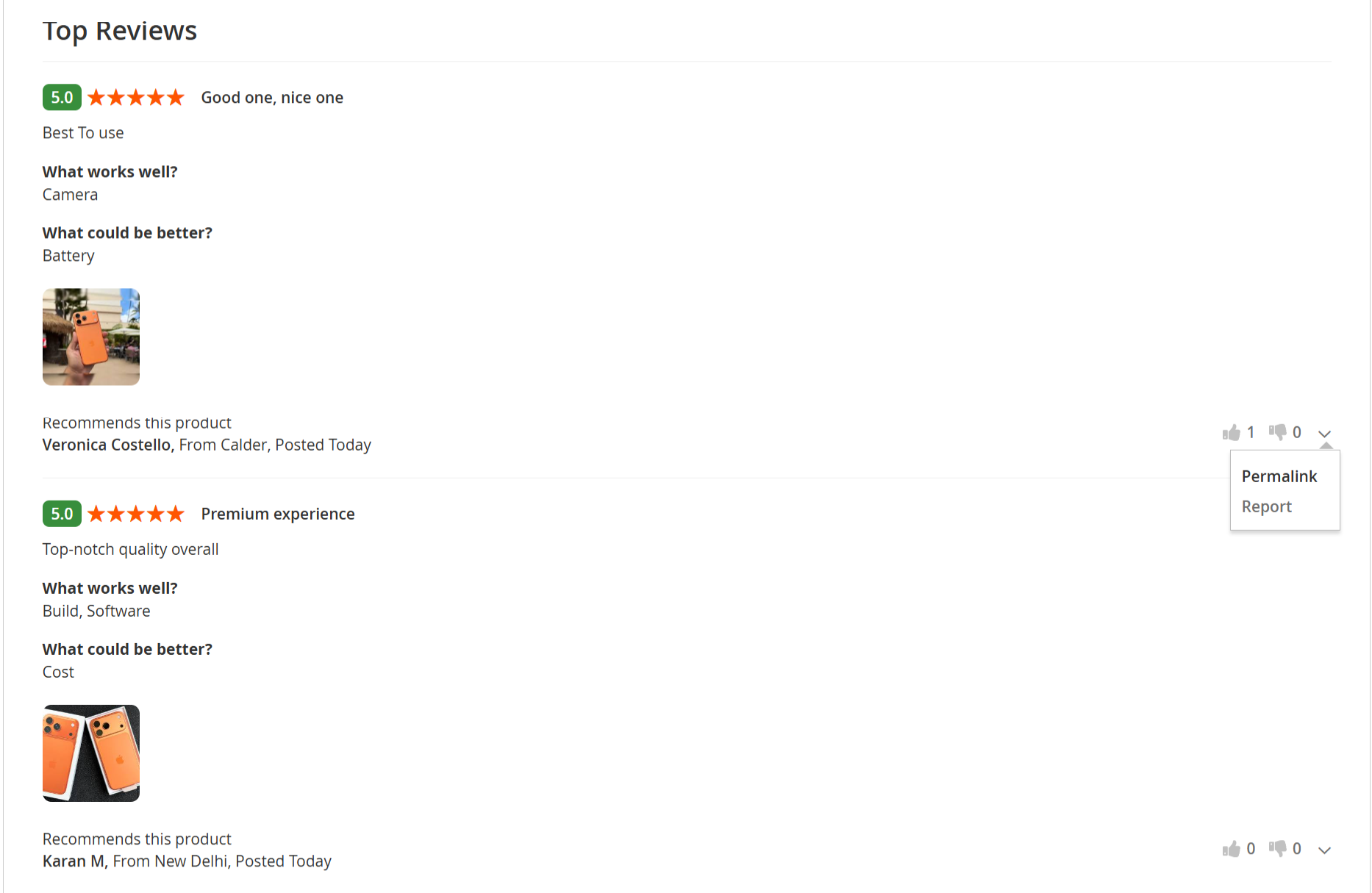
Each customer review includes action options that allow users to interact with individual reviews. From the review action menu, customers can: Permalink
Select Permalink to open a unique URL for the specific review. This allows customers to copy and share the direct link to a particular review or access it independently. Report
Select Report to flag a review that is inappropriate, misleading, or violates review guidelines. Reported reviews are submitted for moderation and review.
Additionally, customers can: These actions help maintain review quality, transparency, and usability across the storefront. Individual Review Permalink View| Panel |
|---|
|
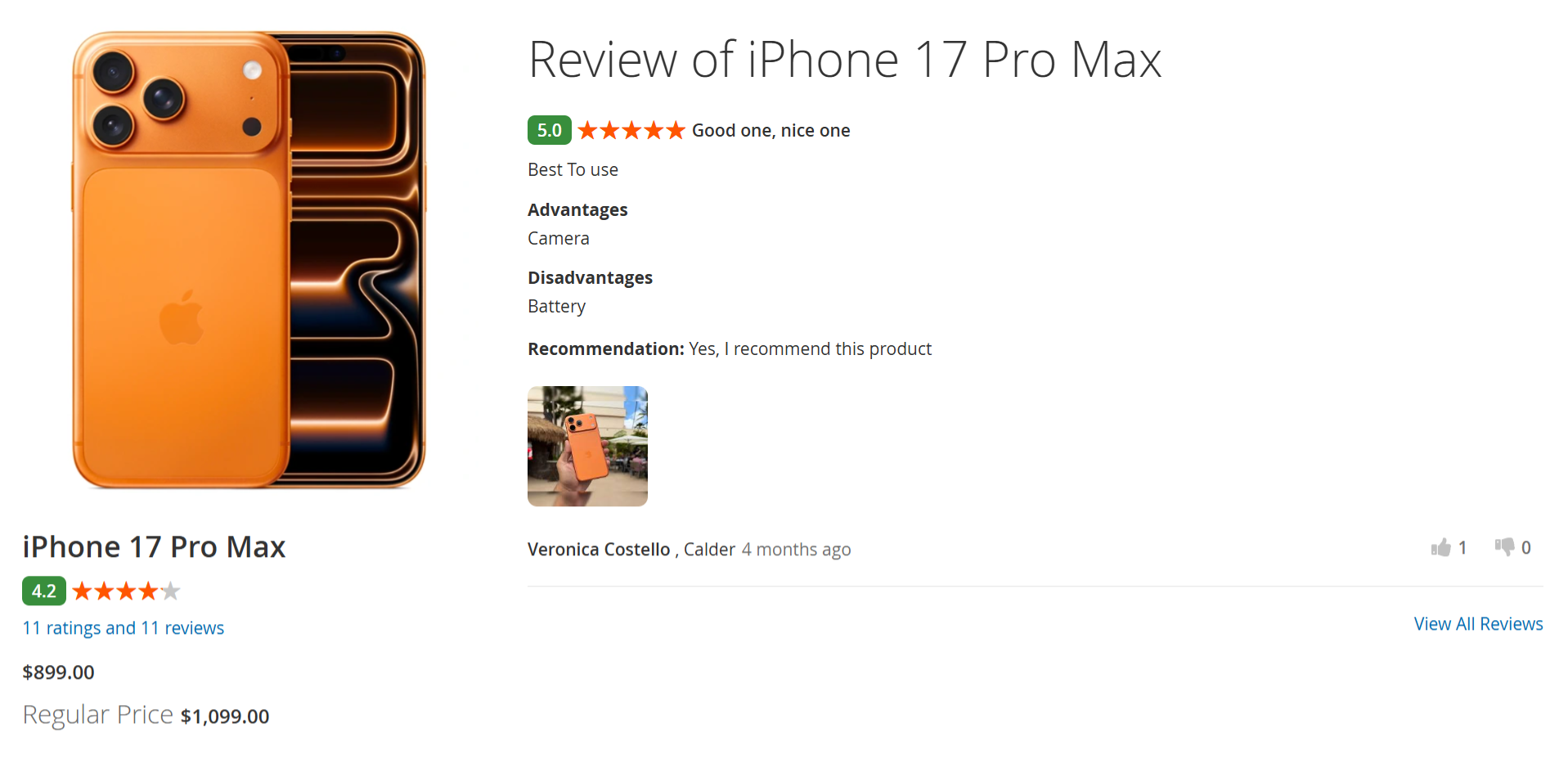
When a customer clicks Permalink on a specific review, they are redirected to a dedicated page displaying that individual product review. This page shows: The selected review with its rating, title, and review content Advantages (Pros) and Disadvantages (Cons) provided by the reviewer The reviewer’s recommendation status Any images uploaded with the review Reviewer details such as name, location, and posting date Product information for reference
A “View All Reviews” link is available to navigate back to the complete list of product reviews. This functionality allows customers to share, bookmark, or reference a specific review directly. Report Review| Panel |
|---|
|
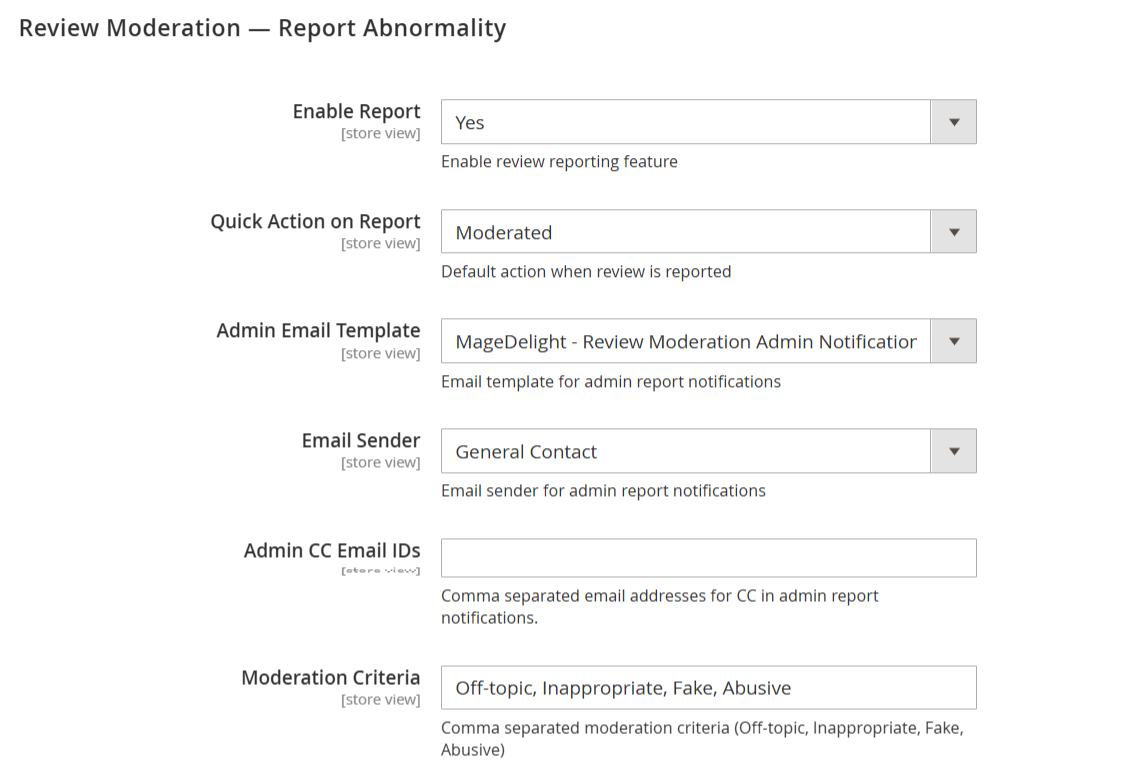
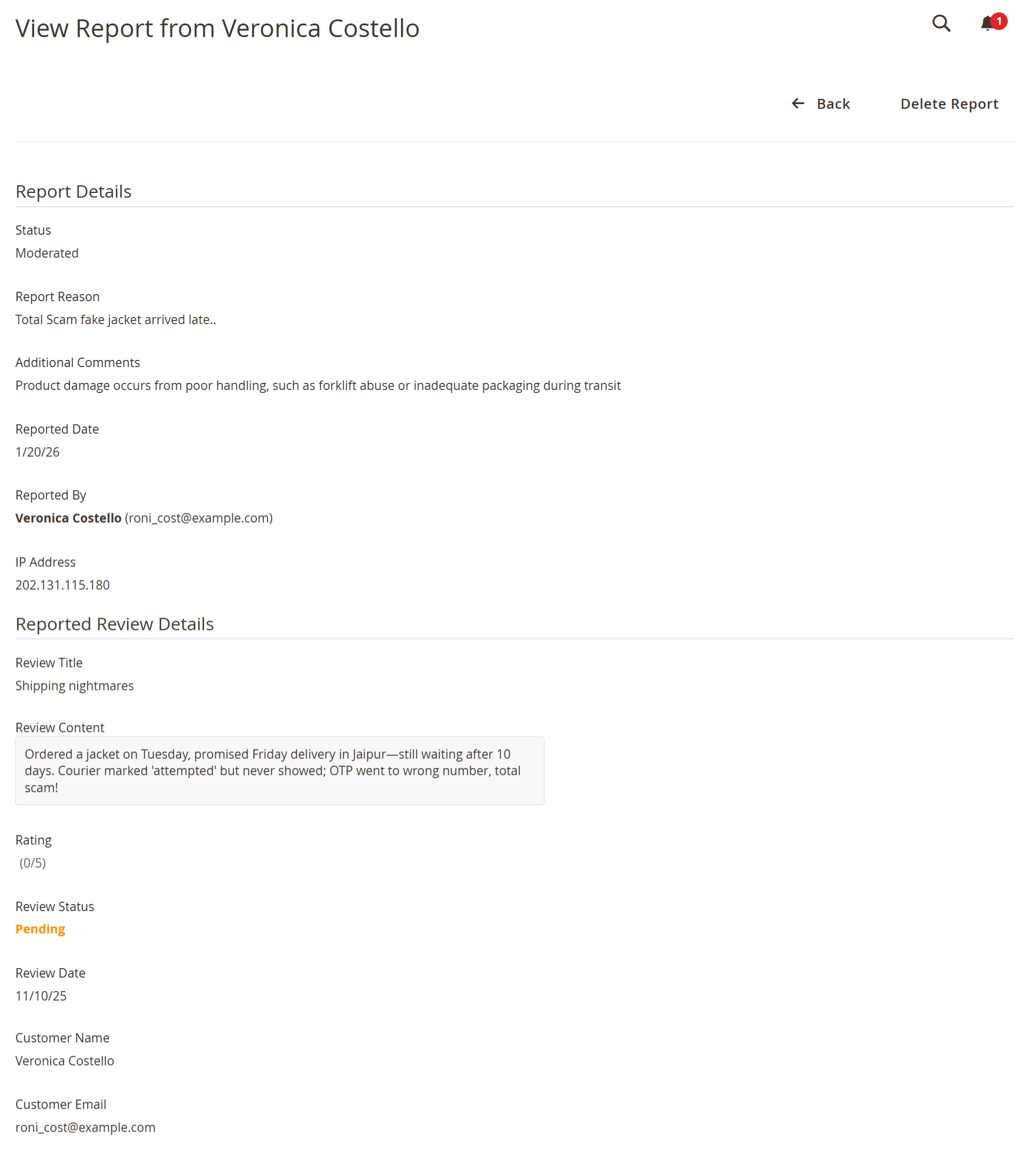
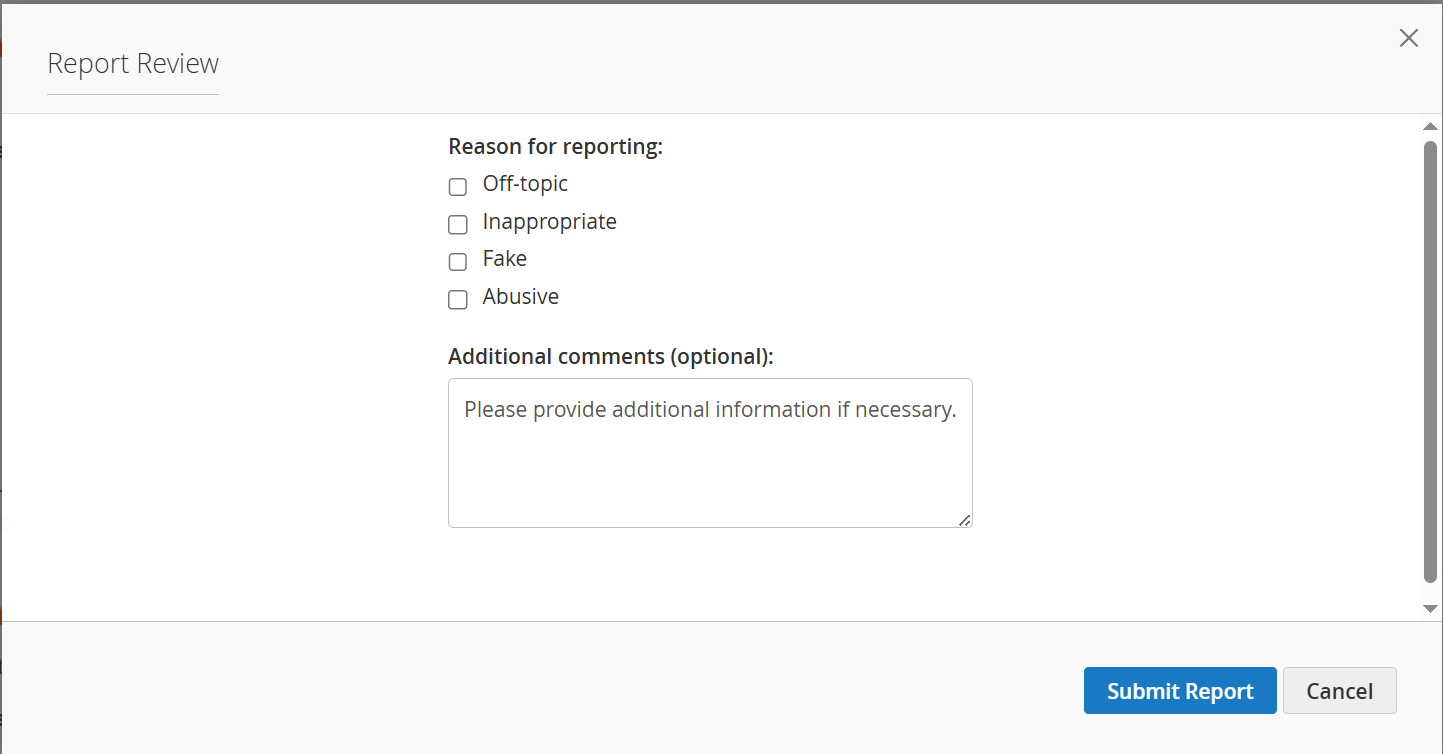
When a customer clicks Report on a product review, a Report Review popup is displayed. This popup allows customers to: Select a reason for reporting the review, such as: Off-topic Inappropriate Fake Abusive
Add additional comments (optional) to provide more context Submit the report using the Submit Report button Cancel the action by clicking Cancel or closing the popup
Submitting a report flags the review for further review and moderation, helping maintain accurate, relevant, and appropriate customer feedback on the storefront. All Customer Reviews Page| Panel |
|---|
|
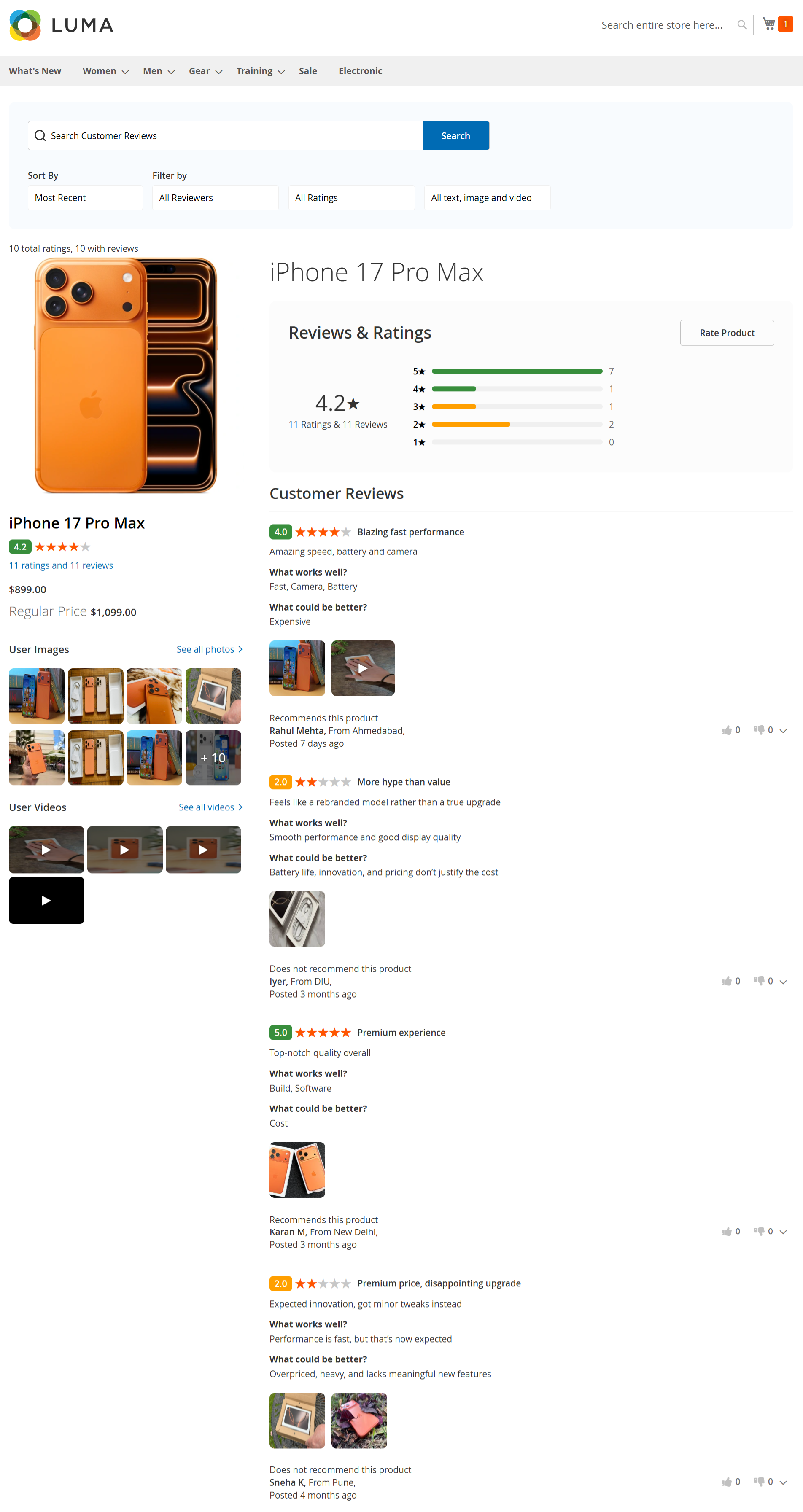
When a customer clicks “View All Reviews” on the product detail page, they are redirected to a dedicated page displaying all reviews for the selected product. This page allows customers to: View the complete list of customer reviews for the product See the overall rating summary with star-wise distribution Search reviews using the Search Customer Reviews field Sort reviews by options such as Most Recent Filter reviews by: View customer-submitted images and videos associated with reviews Read detailed reviews including: Review title and rating Pros (What works well) Cons (What could be better) Recommendation status Reviewer name, location, and posting date
Use the Rate Product button to submit a new review
This page provides a focused view of all customer feedback, helping users evaluate the product in detail before making a purchase decision. My Product Reviews (Review Your Purchase Page)| Panel |
|---|
|
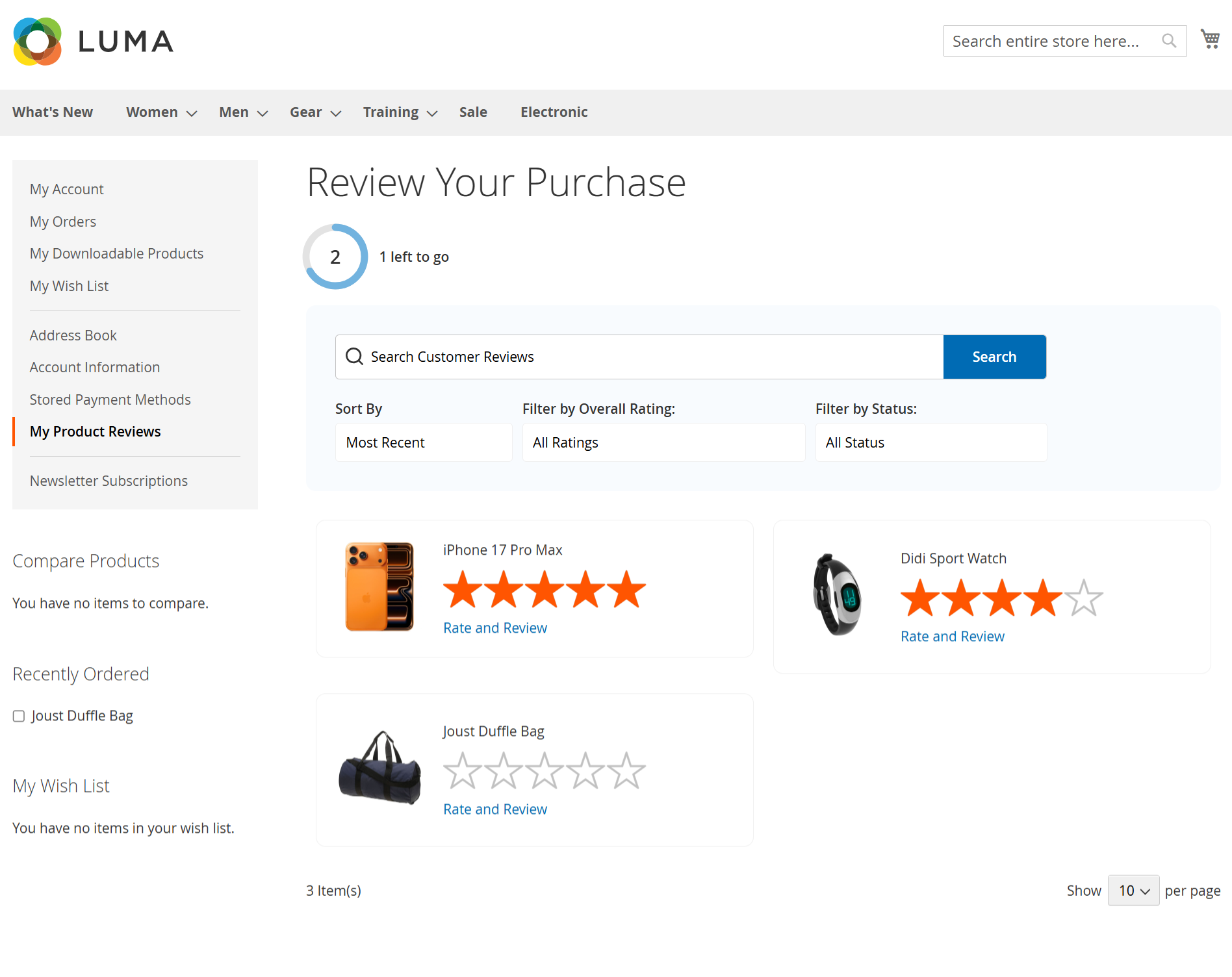
The My Product Reviews page allows logged-in customers to view and manage reviews for products they have purchased. From this page, customers can: View a list of previously purchased products eligible for review See the review status for each product (reviewed or pending) Click Rate and Review to submit a new review for a purchased product Track progress using the review completion indicator (e.g., “1 left to go”) Search reviews using the Search Customer Reviews field Sort reviews by Most Recent Filter reviews by: Review products directly from their account without navigating back to the product page
This page helps customers easily complete pending reviews, manage submitted feedback, and share their purchase experience. |