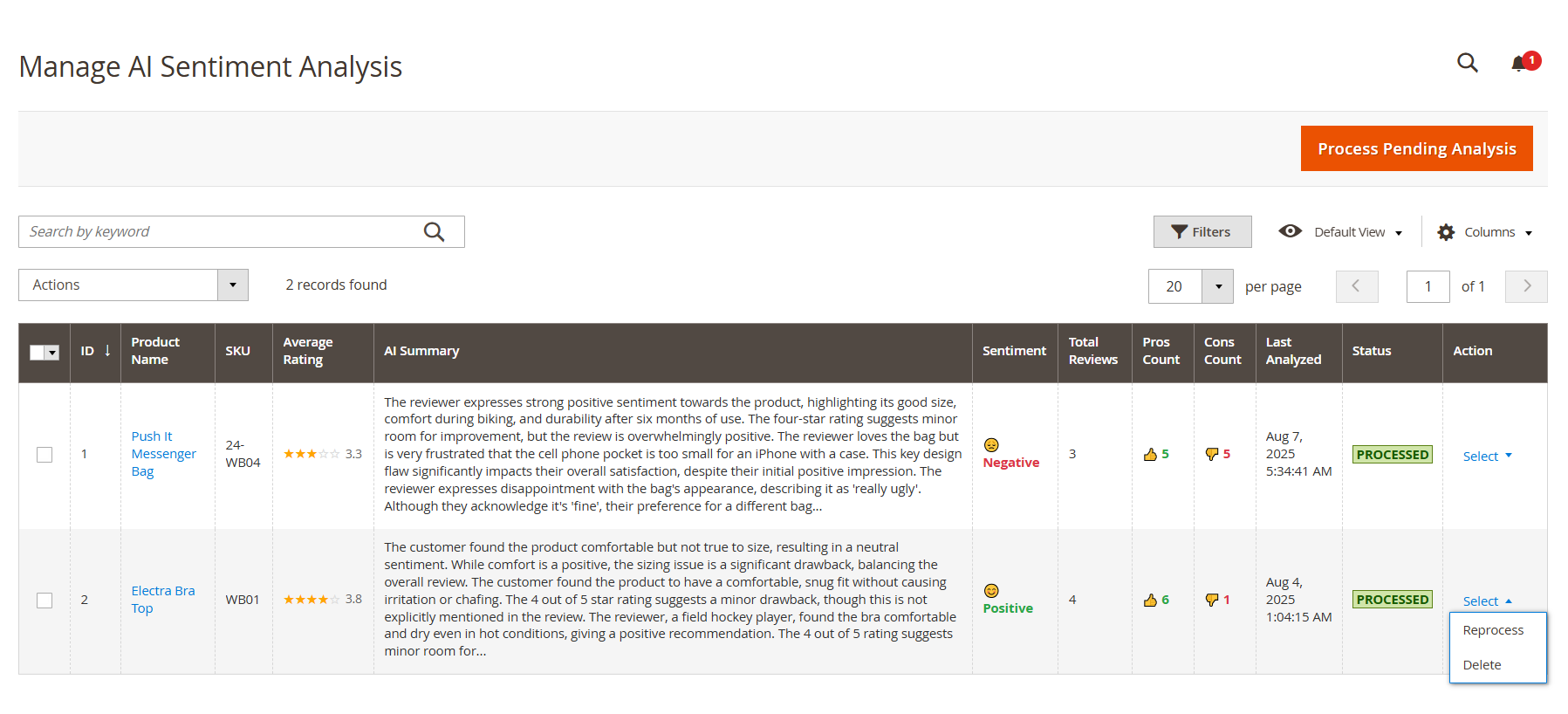
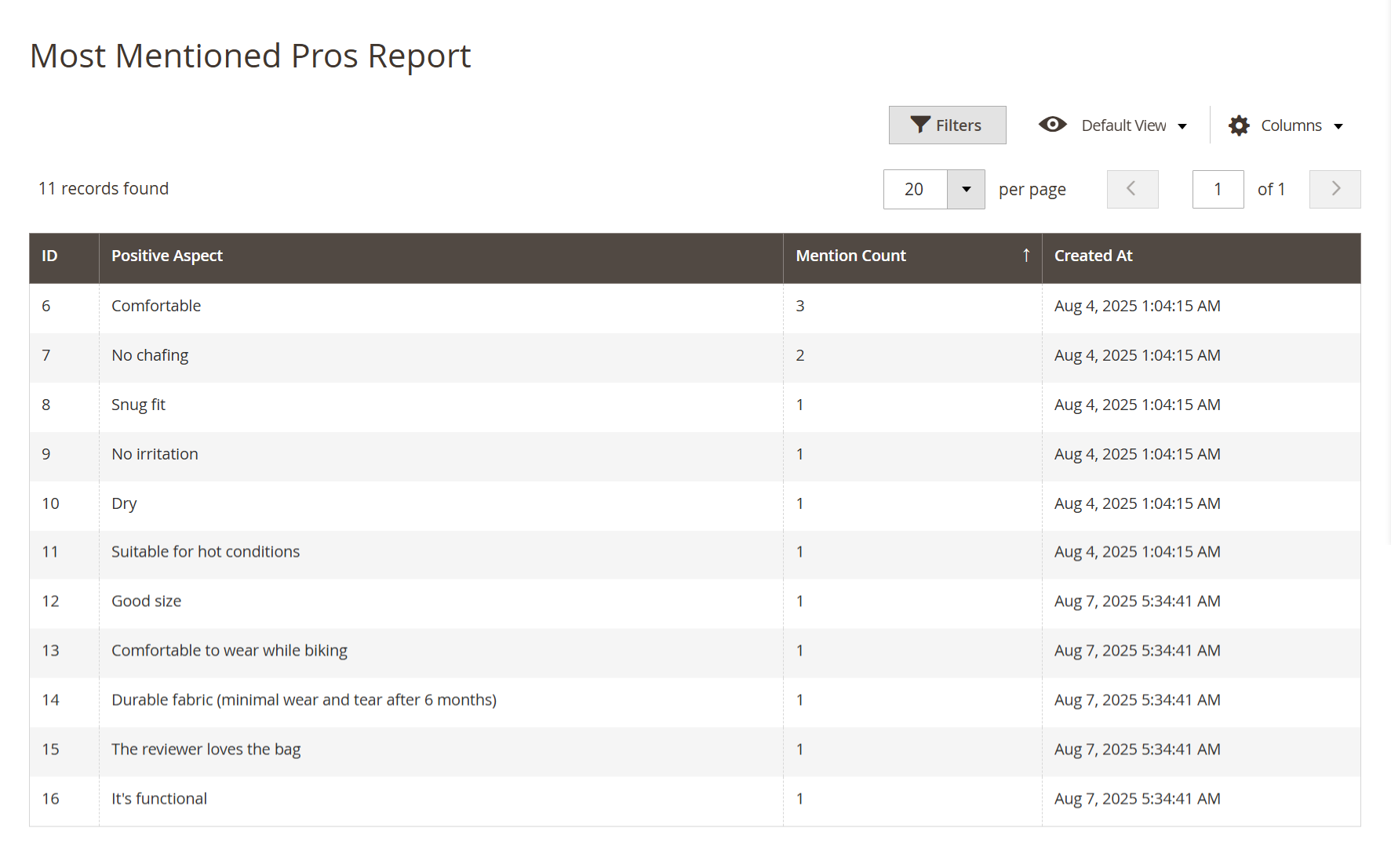
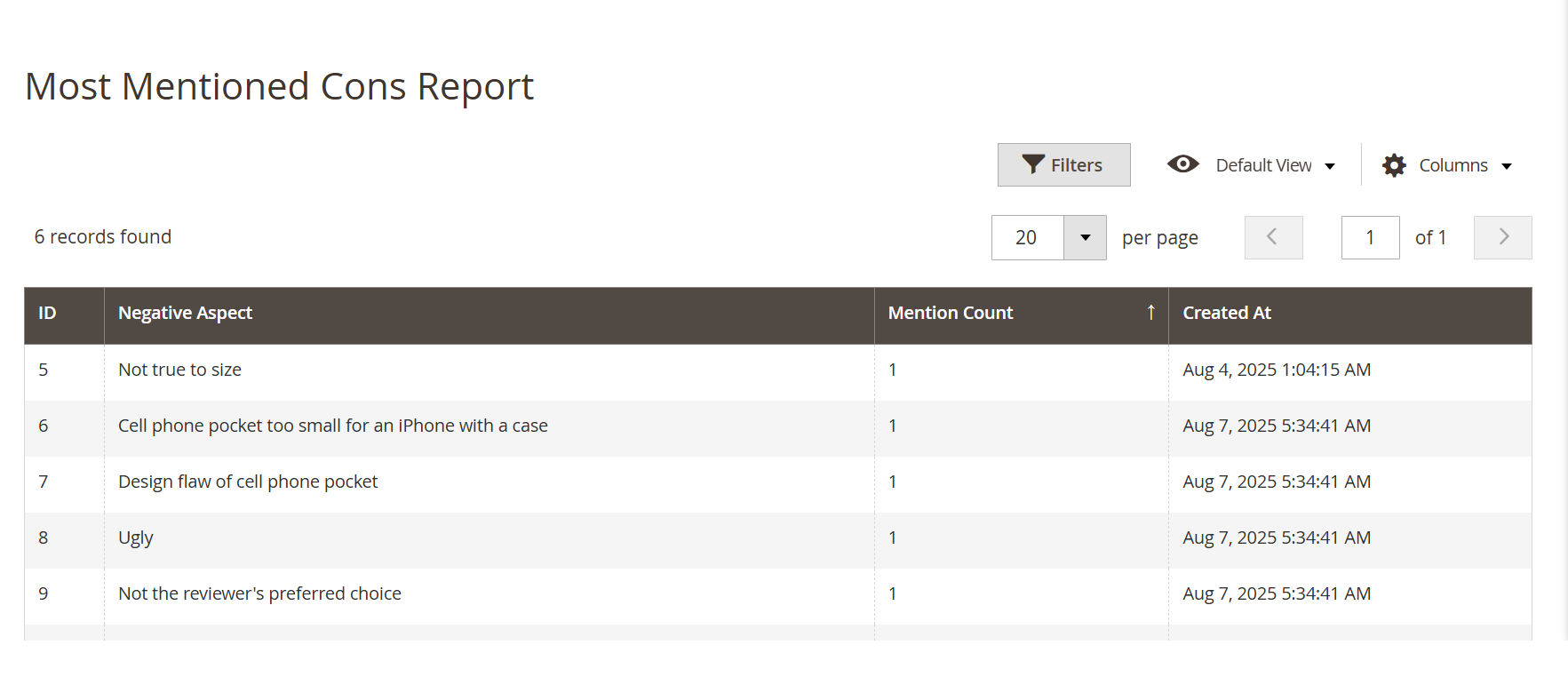
| ID | Use this unique identifier to track and reference each analyzed product easily within the system. |
| Product Name | Click the product name to open detailed sentiment insights. This helps you understand customer perception at a glance. |
| SKU | Identify the product using its SKU. Useful for inventory tracking and quickly locating products in your catalog. |
| Average Rating | See the product's average customer rating (out of 5 stars). Use this to recognize top performers or flag items for improvement. |
| AI Summary | Review a concise AI-generated summary of what customers are saying. This helps you save time and gain insights without reading every individual review. |
| Sentiment | Understand how the AI classifies the overall sentiment — Positive, Neutral, or Negative — so you can take informed action quickly. |
| Total Reviews | Check how many reviews were analyzed. A higher count means more reliable insights for making business decisions. |
| Pros Count | See how many positive points the AI found in customer feedback. Use this to highlight strengths in product listings or promotions. |
| Cons Count | Find out how many negative points were detected. These help you identify and address specific customer concerns to improve satisfaction. |
| Last Analyzed | View the last time the product was processed for sentiment analysis. Reprocess if you've received new reviews or changed configuration settings. |
| Status | Confirm whether the product has been analyzed. When marked Processed, it means the AI has completed review analysis for that product. |
| Action | Manage each product’s sentiment data:
• Reprocess – Run analysis again to reflect new reviews or setting changes.
• Delete – Remove the sentiment result if you want to reset or clear outdated data. |